
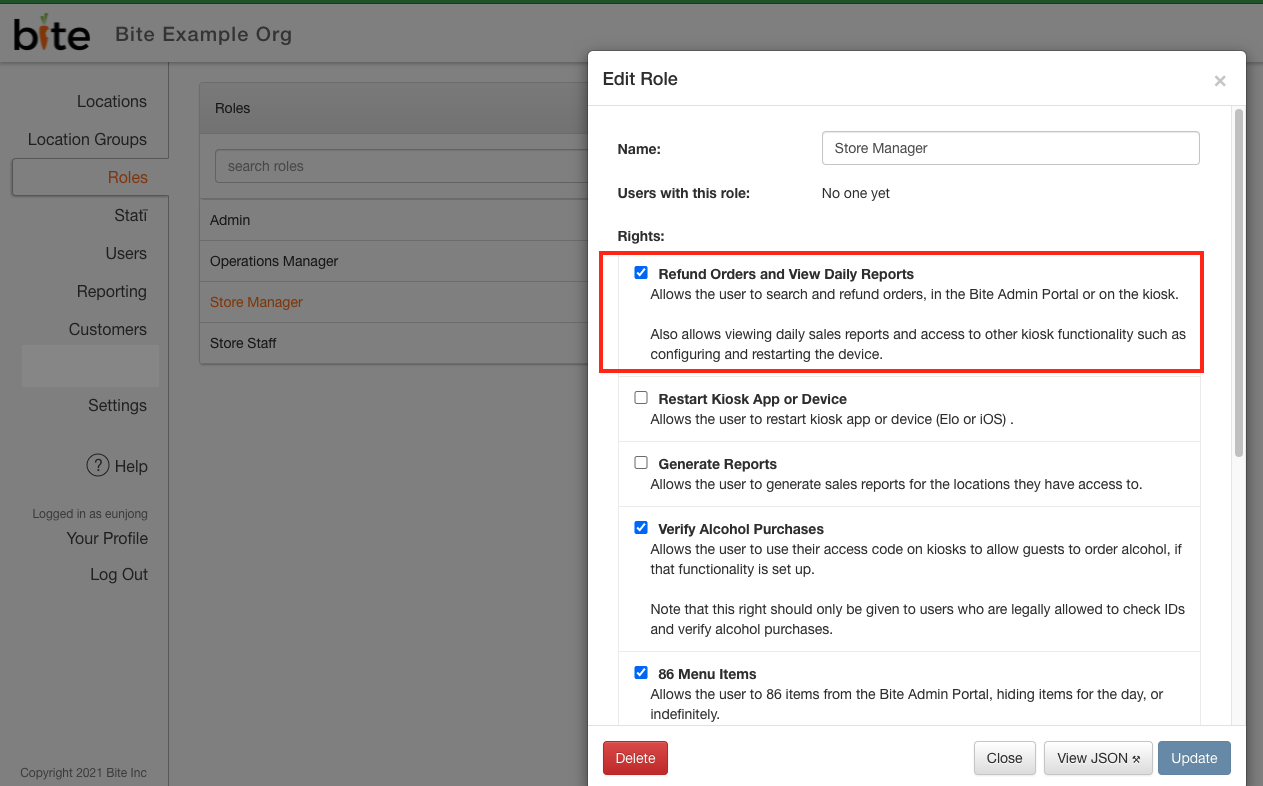
Operators with Bite Admin accounts now have access to view transaction JSON logs. Any user roles with the "Refund Orders and View Daily Reports" right will have access to this feature. Should you have any questions regarding a specific transaction or should you require assistance reading through the transaction JSON log, please reach out to support@getbite.com with the link to the order in Bite Admin Portal.
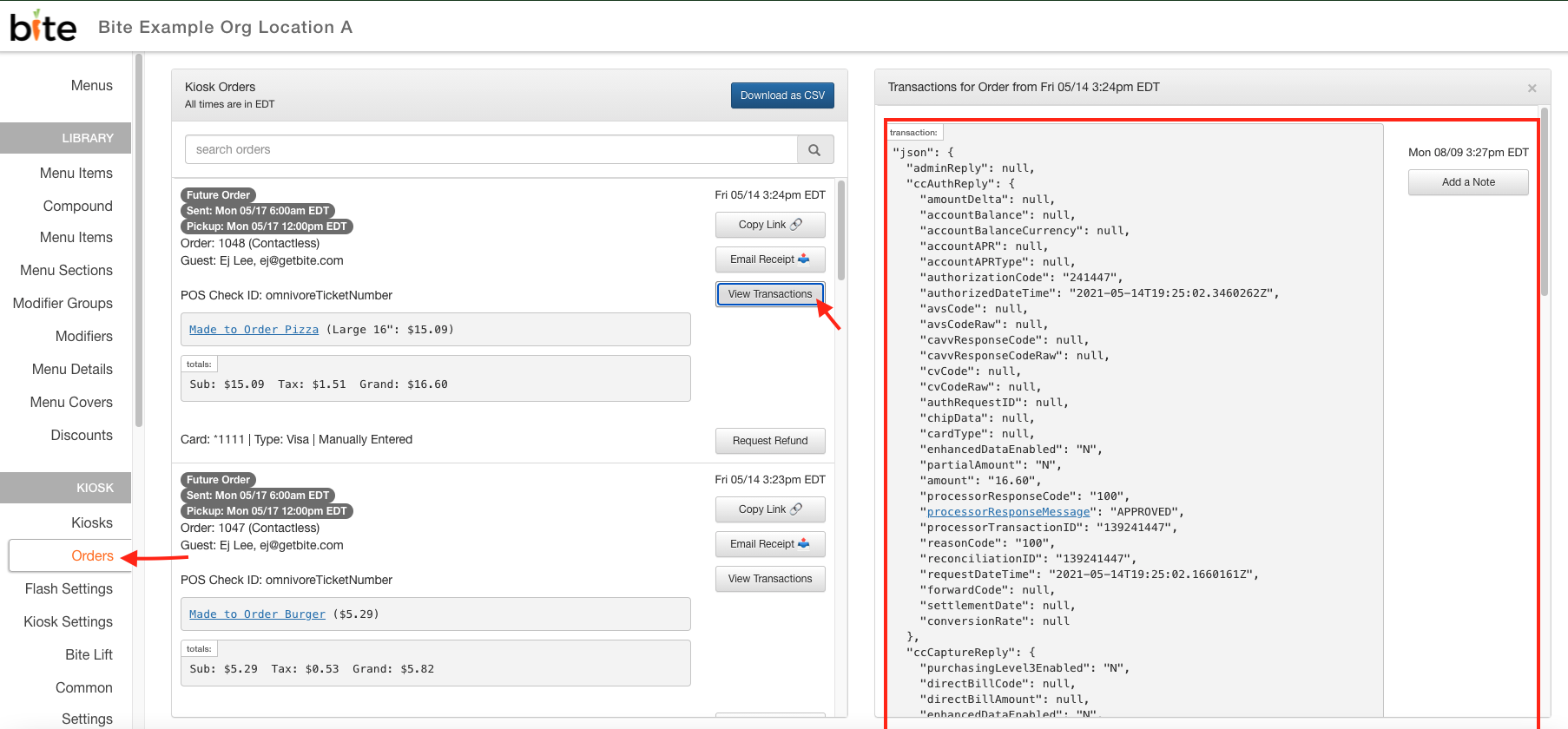
- Log into the desired location of the Bite Admin Portal
- Click on "Orders" tab
- Find the specific order you would like to view transaction logs for
- Click on the "View Transactions" button
- Transaction logs for the order will display on the very right side of the browser.
"Refund Orders and View Daily Reports" right:
Comments
0 comments
Please sign in to leave a comment.