
1. Open the box containing the pin pad terminal and remove all hardware (3 Pieces)

1) Pin Pad Terminal
2) Power/Ethernet Cable
3) Power Cord
2. Turn the Pin Pad Terminal over (back side facing up)
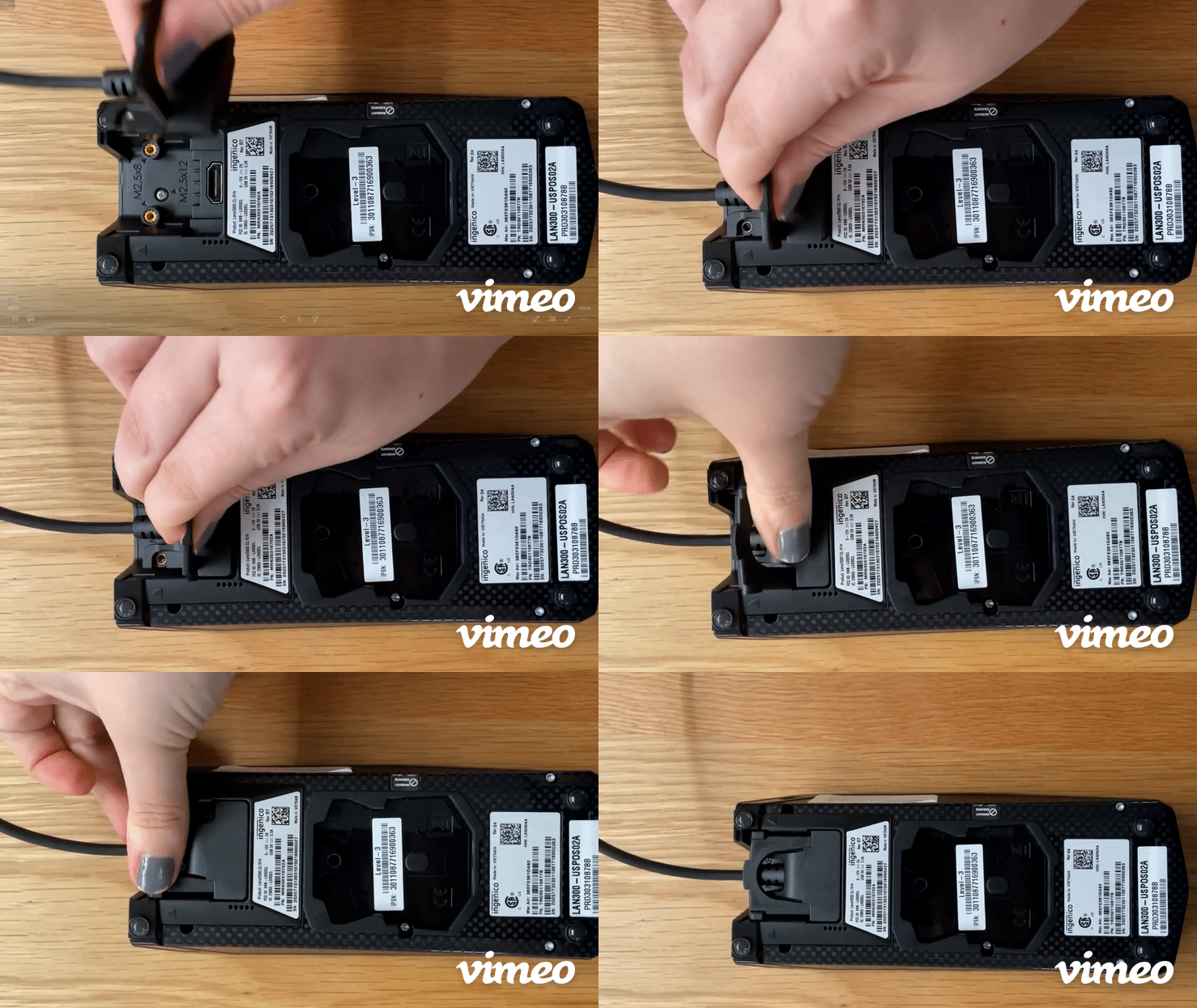
3. Plug the Power/Ethernet Cable into the open port in the back of the Pin Pad Terminal until secure; flip terminal over (front side facing up)
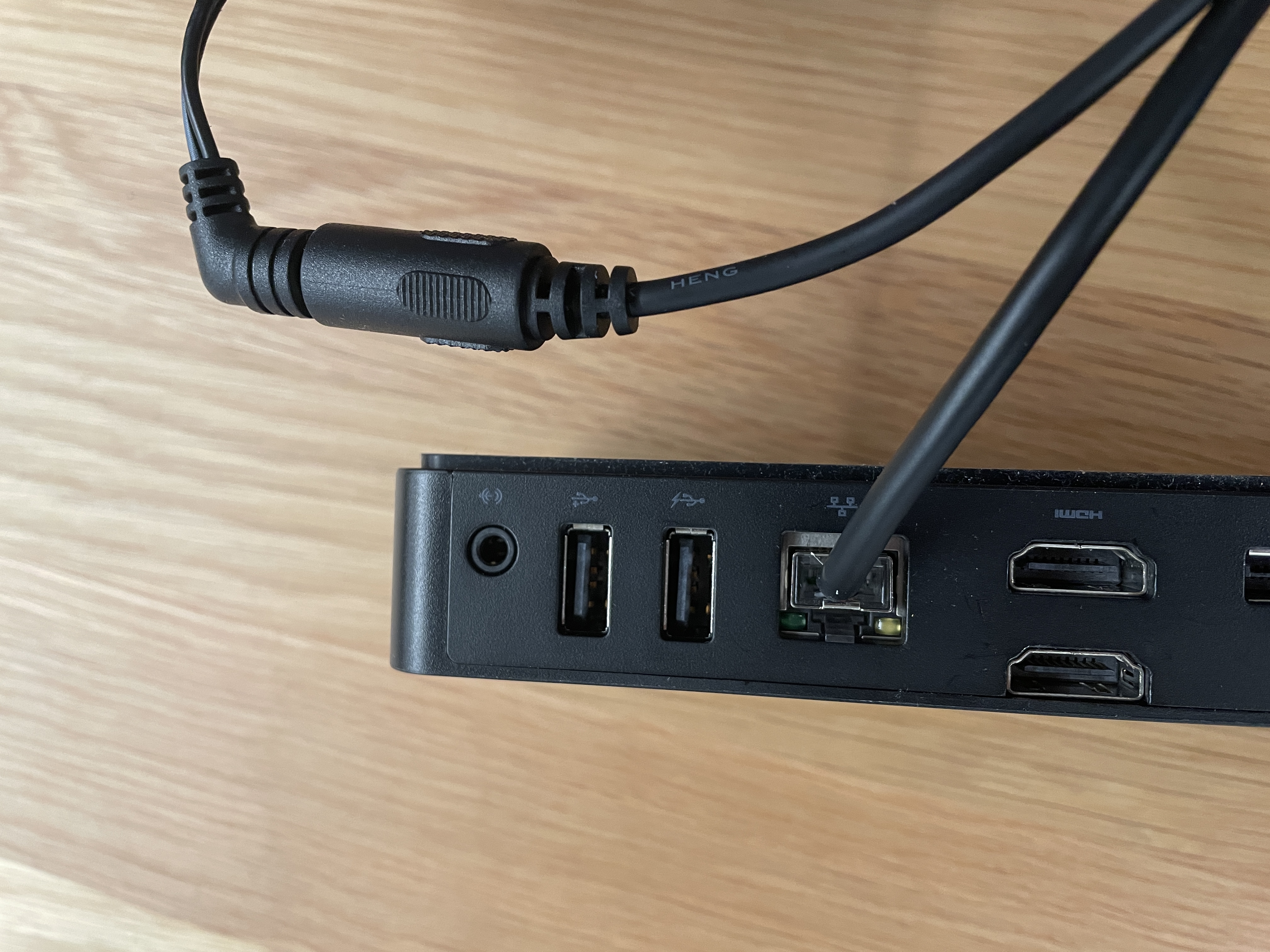
4. Plug the Ethernet Cable into a router, network switch, or modem with a live ethernet port
5. Connect the barrel pin on the Power Cord to the Power/Ethernet Cable
6. Plug the Power Cord into an available wall outlet or power strip
Note: Once powered up, the terminal will begin the boot-up process which may take up to 3 minutes.
Comments
0 comments
Please sign in to leave a comment.