
Symptom:
Screen is unresponsive to touch while in our app.
Resolution:
Step 1: Loose cable check
Check if the connection was disconnected. In cases where screen is a different component than the CPU (e.g. Zivelo where there is a screen + backpack combination) there is a USB cable that connects from the screen to the backpack.
Step 2: Test the screen
Hit the two buttons on the back of the ELO or on the backpack (it's the Power button and the "home" button (looks like a house). Access the control panel. If the screen is then responsive, it is unlikely to be hardware related and can be our software.
Step 3: Reboot
Try rebooting the system using our tools:
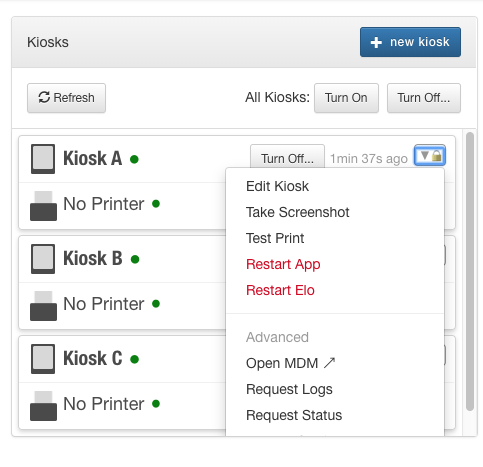
Step 4: Re-install app
Login to ELOview and search the device
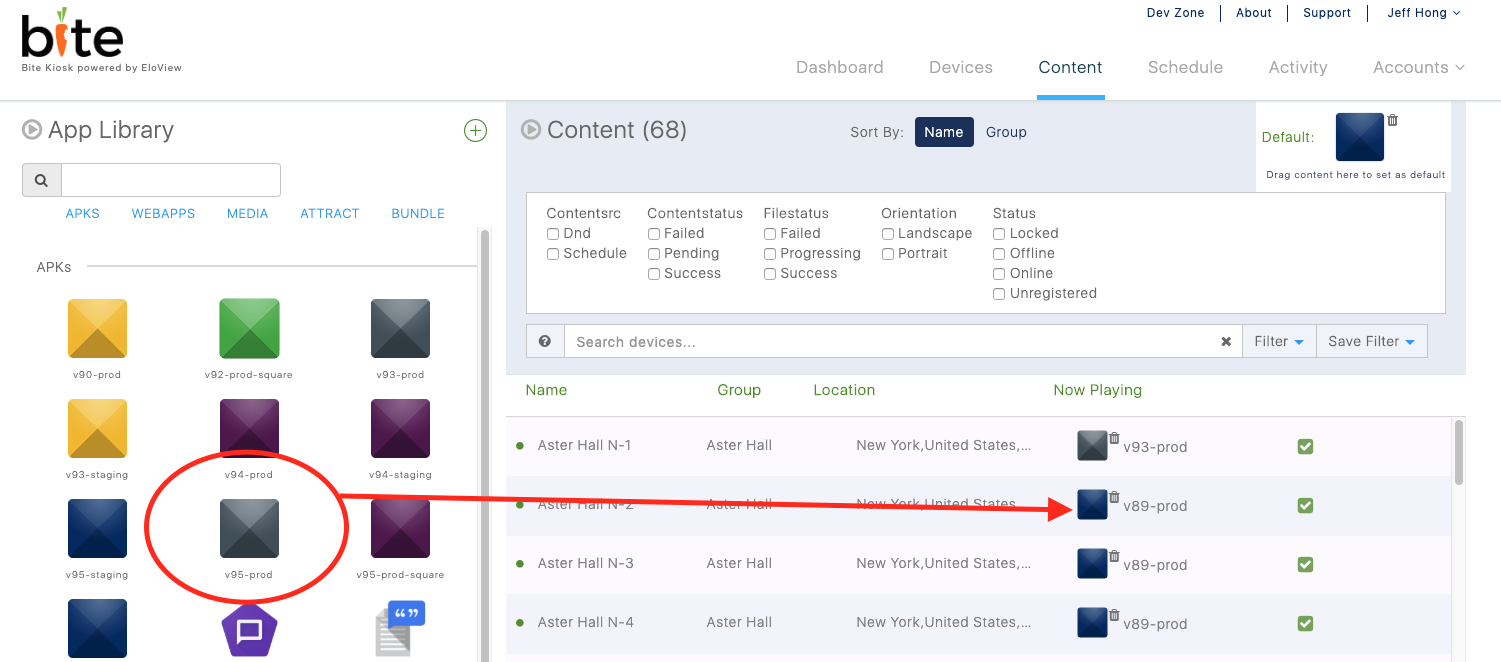
Install Bite. In ELOview, make sure to drag and drop the latest Bite software onto the device. Go to the "Contents Tab".

Drag and drop our latest version onto the selected device:
Comments
0 comments
Please sign in to leave a comment.