
Overview:
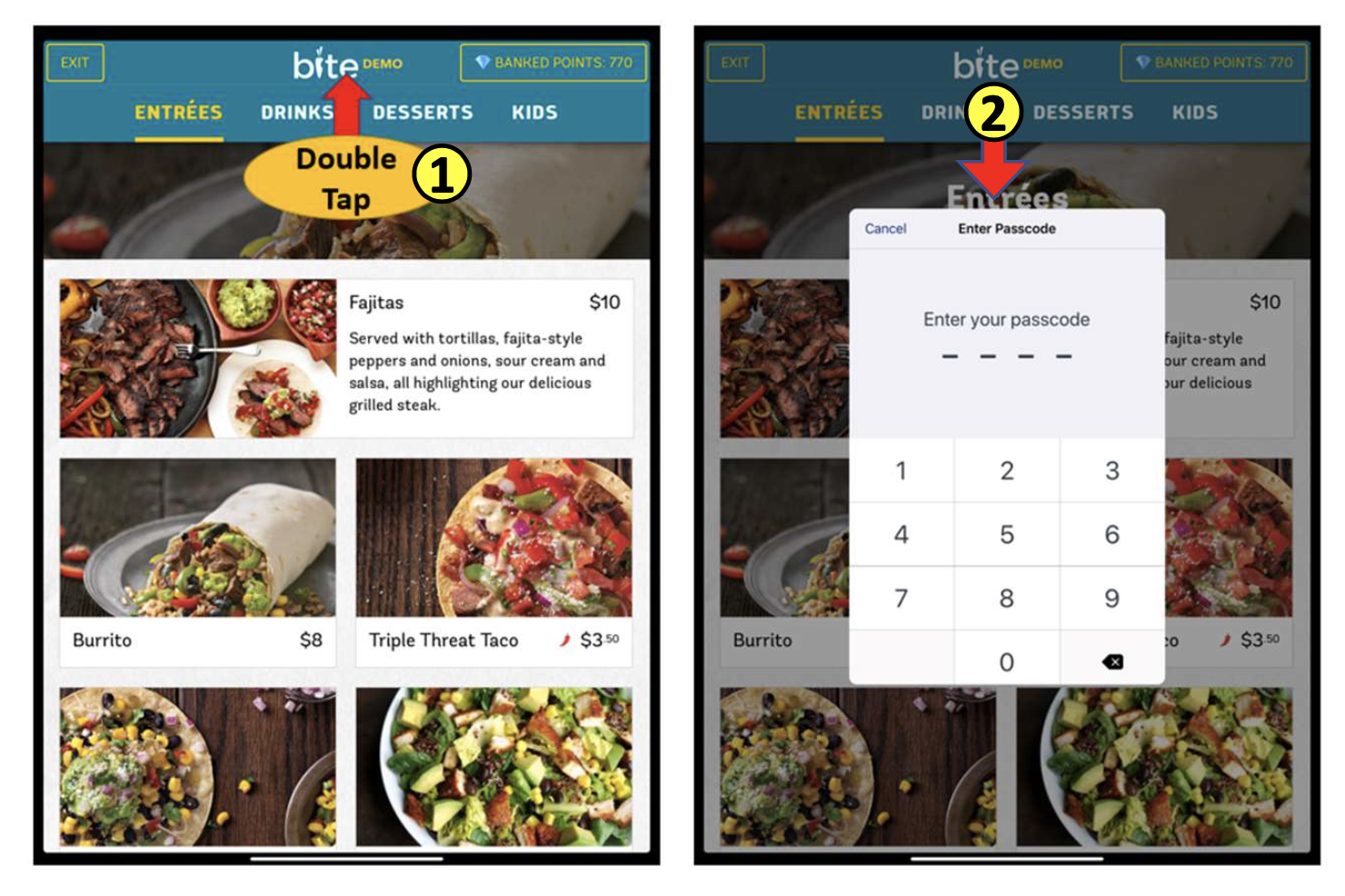
How to access the configure screen after the kiosk is on the menu.
Step 1:
Double tap on the top middle of the screen and enter your user access / admin code. If you don't have one or forgot, please contact your support team member.
Step 2:
Hit the Back to Config Button
Comments
0 comments
Please sign in to leave a comment.