
The kiosks update automatically every time a change is made in Bite Admin Portal. (Bite Admin Portal syncs the data from the POS every 10 minutes during working hours.) However, this update may take a couple minutes. To see the change reflected immediately on the kiosks, please follow the steps below:
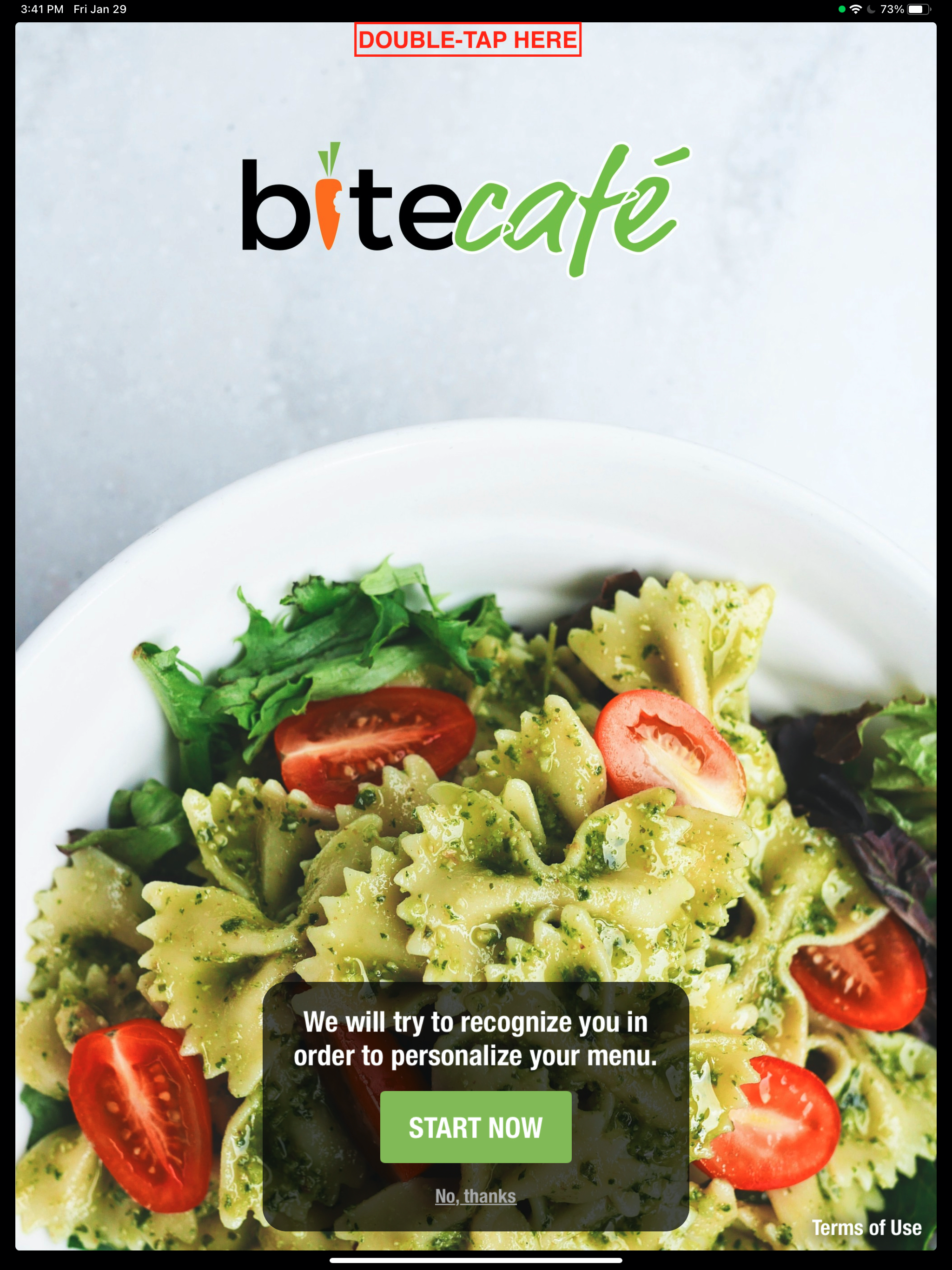
1. Go to the cover screen of the menu on the kiosk and double tap the top center of the screen.
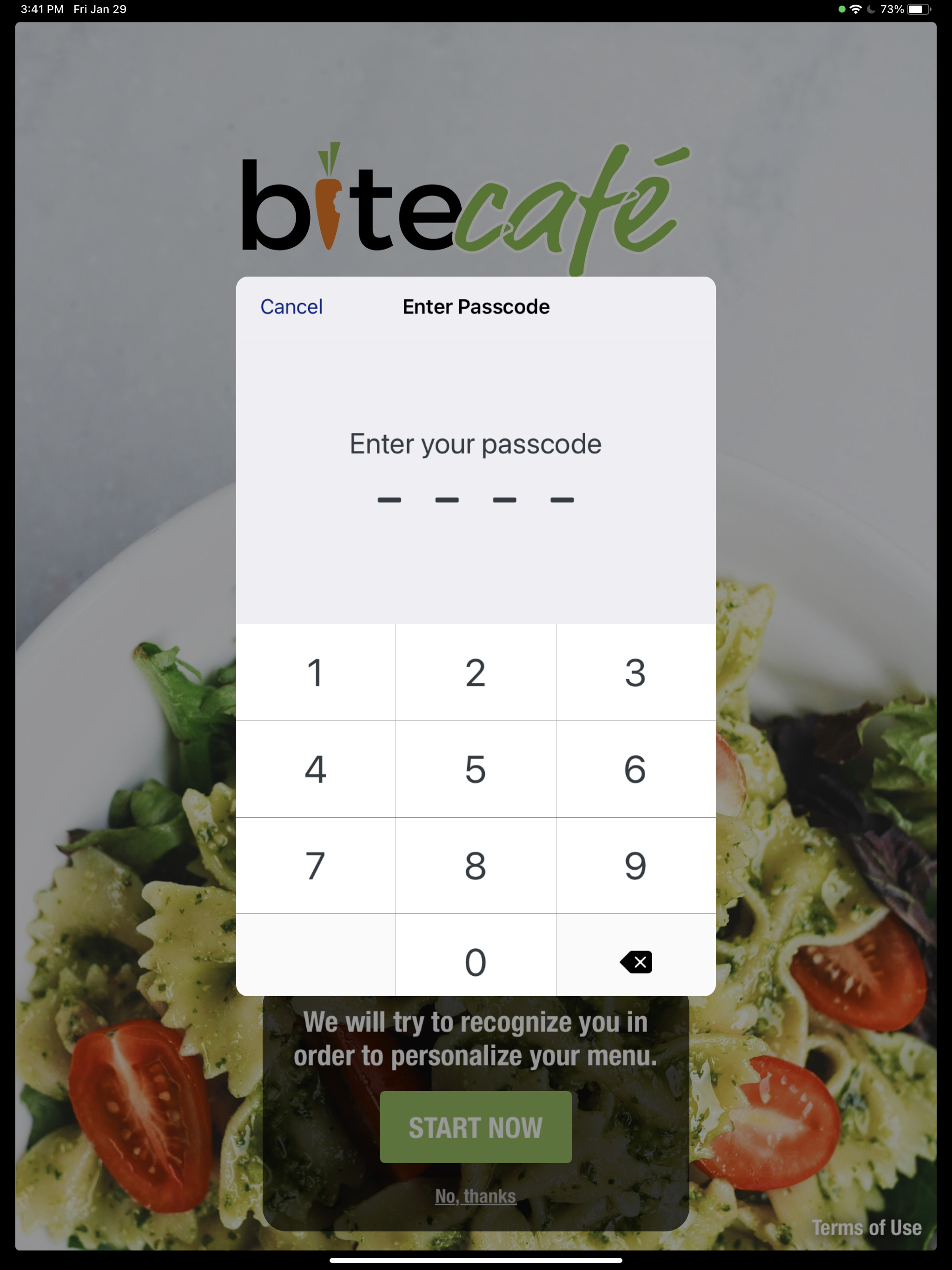
2. Enter your access code
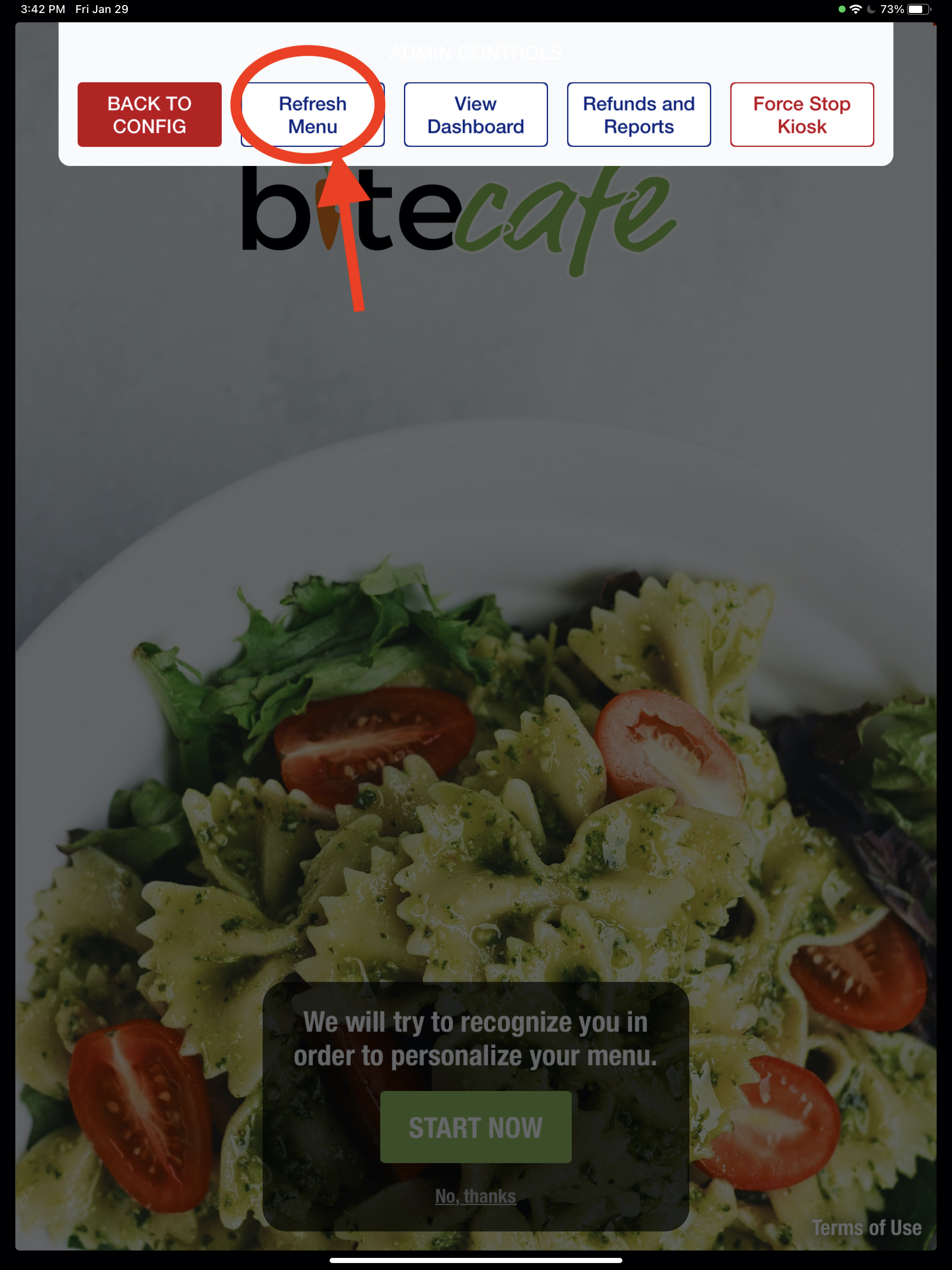
3. Hit "Refresh Menu" button
Comments
0 comments
Article is closed for comments.