
Synopsis:
This article will guide how to setup the Elo Scanner part number E393160 for use with Elo devices. The first steps will be determining whether an update/reset is required. The second half will explain how to reconfigure the devices into CDC Mode.
Step 1:
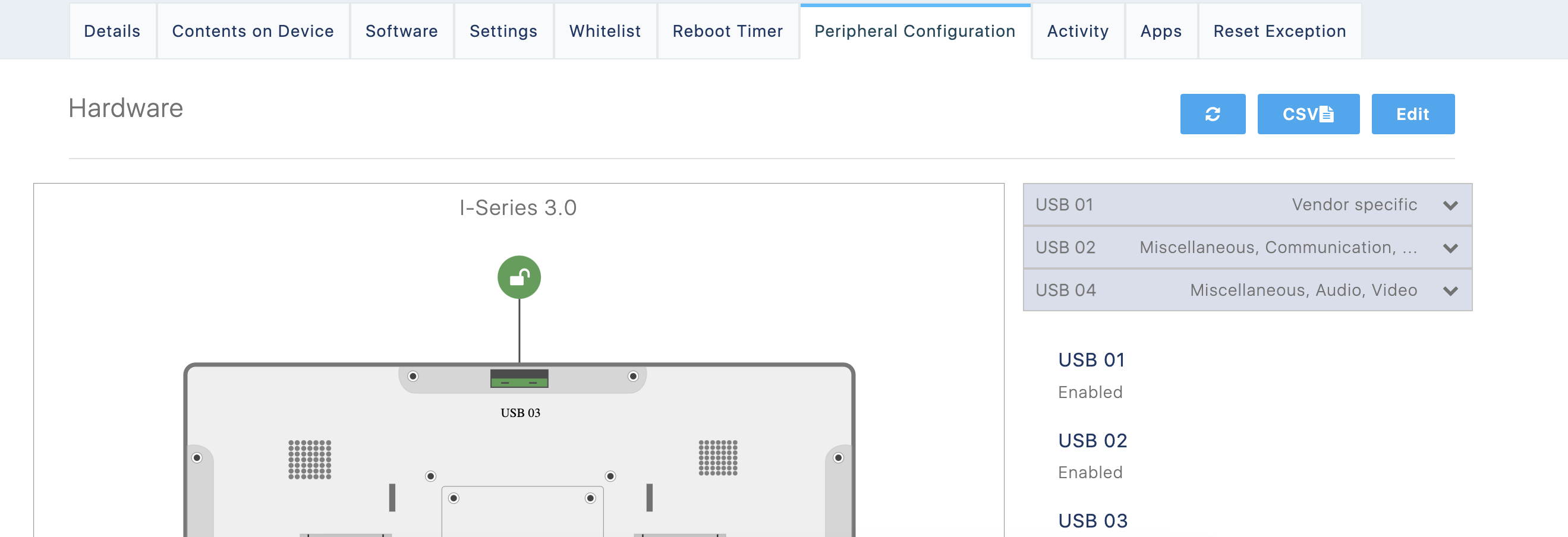
Plug in the scanner, and in Eloview navigate to the device and then the peripheral configuration section
You should see something similar to this:
Step 2:
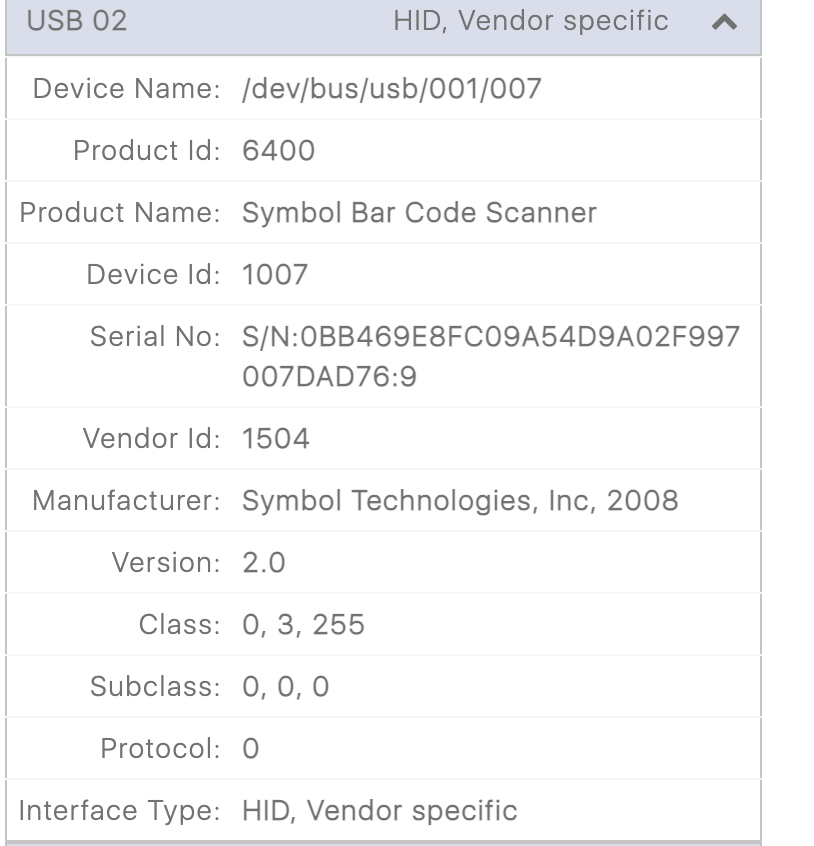
Clicking on the USB sides - for a scanner that requires configuration, it will show something similar to the below. Note Product ID = 6400 and Interface Type does not have CDC.
Step 3:
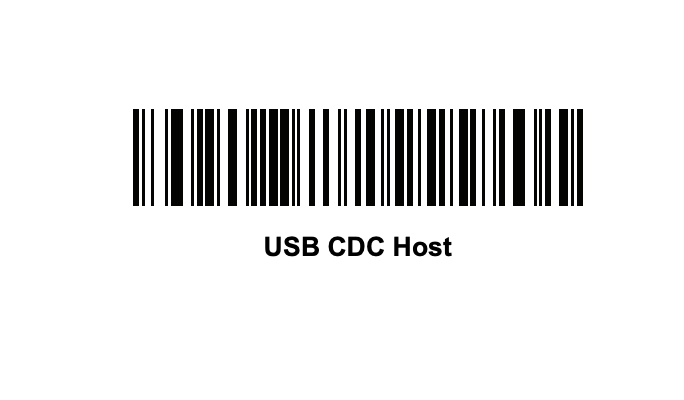
To configure device into CDC mode scan this barcode. Note you may have to use your phone and/or print it to scan properly. The full file can be found on page 110 here: https://www.generalscan.cloud/_files/ugd/51785c_28e99c6e956f4d808e1f3cfb45e6c3a8.pdf
Step 4:
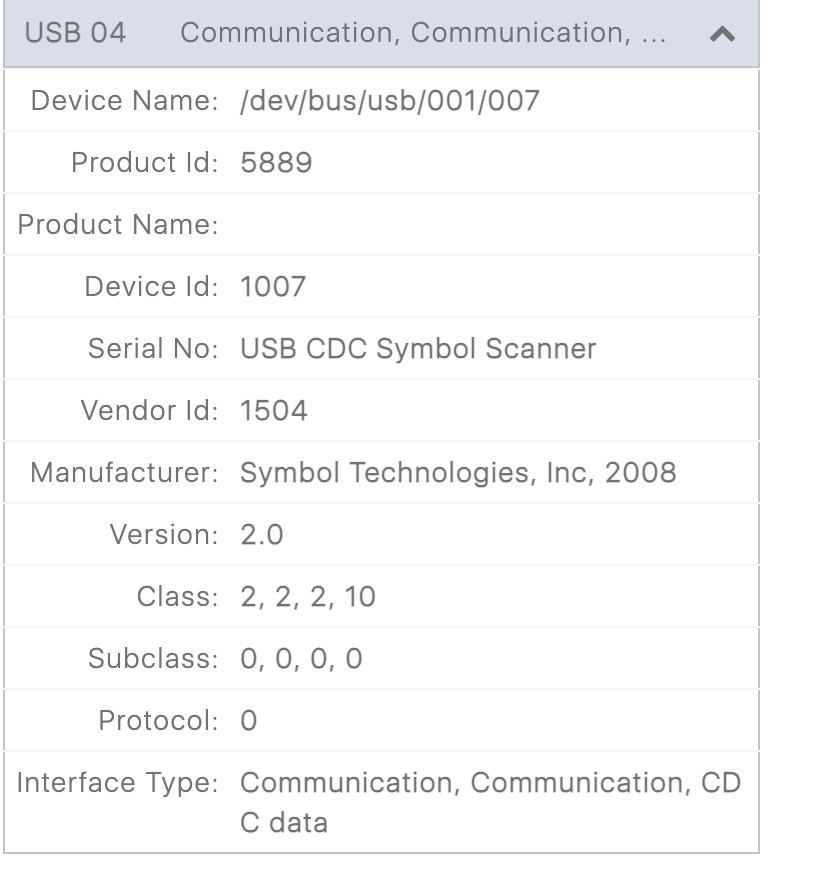
After successfully scanning, the new device profile should read similar to below. Note the Product ID change and the mention of CDC mode.
Comments
0 comments
Please sign in to leave a comment.