
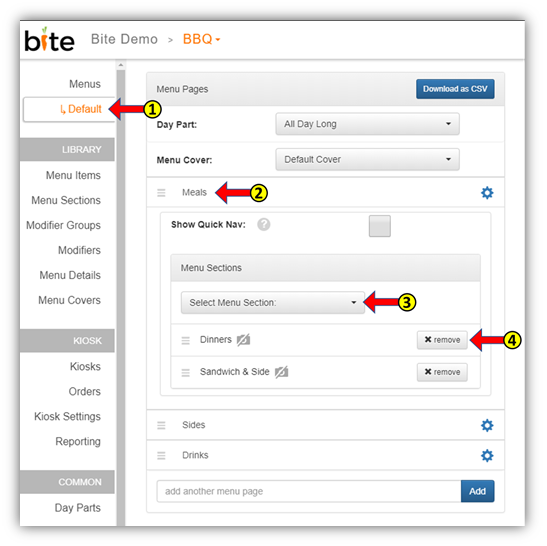
- Click on the Menu under the “Menus” tab in the Bite Admin Portal
- Click on the Menu Page to which you wish to add Menu Sections
- Add the Menu Section using the “Select Menu Section” dropdown list
- You can remove the menu section by clicking on the “x-remove” button
Comments
0 comments
Article is closed for comments.