
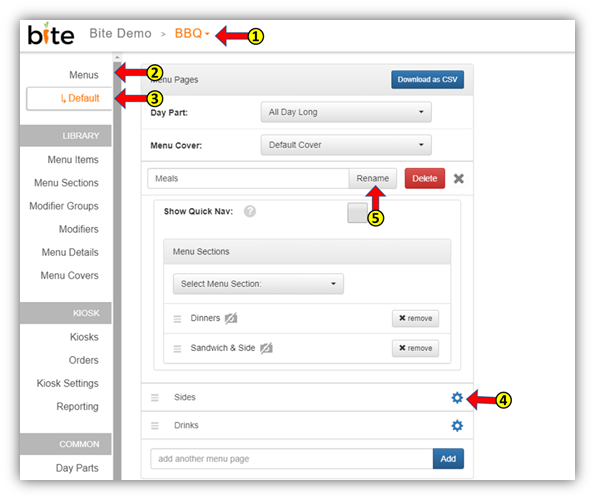
- Go to the location you wish to change in the Bite Admin Portal
- Click on the “Menus” tab in the upper left-hand corner
- Click on Default menu or the menu you wish to change
- Click on page name
- Click on the blue cog wheel
- Change the menu page name and click “Rename”
Comments
0 comments
Please sign in to leave a comment.