
After the initial POS integration, the Menu Items will be displayed on the kiosks under the names set in the POS system. You can change the name of the menu item so it displays as a different, customer-facing name on the kiosks.
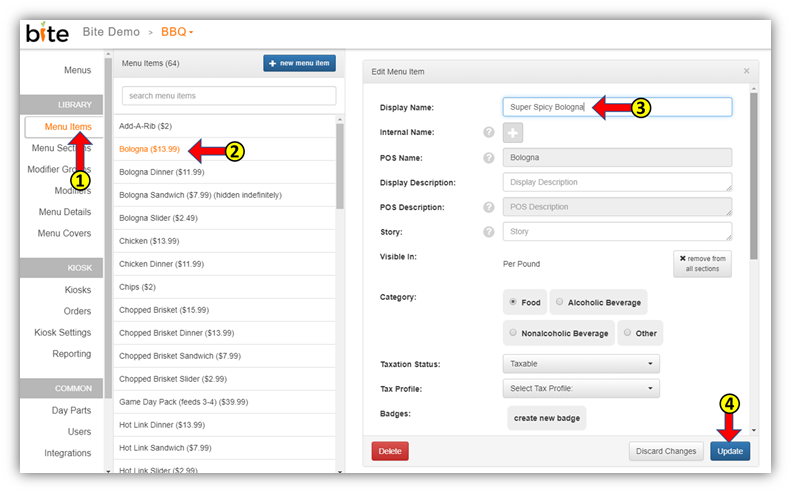
- Click on the “Menu Items” tab in the Bite Admin Portal
- Click on the menu item whose name you wish to change
- Enter the desired name in the “Display Name” field
- Click “Update”
Comments
0 comments
Please sign in to leave a comment.