
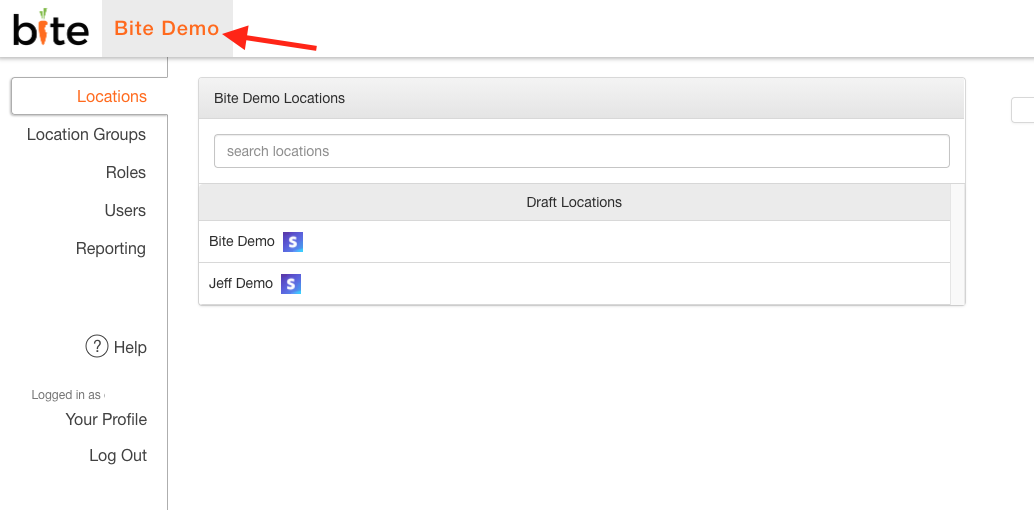
- Log into the Bite Admin Portal
- Click on the Organization to access all Locations
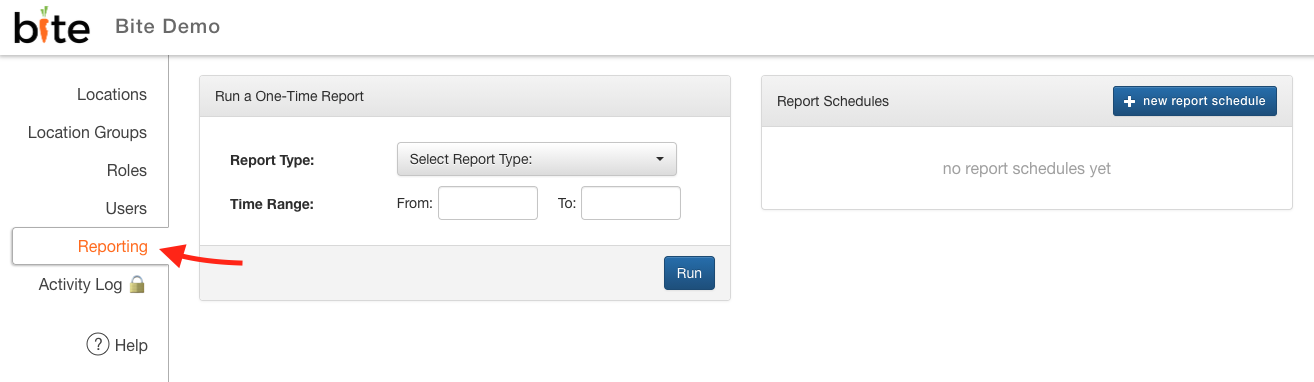
3. Click on "Reporting" Tab
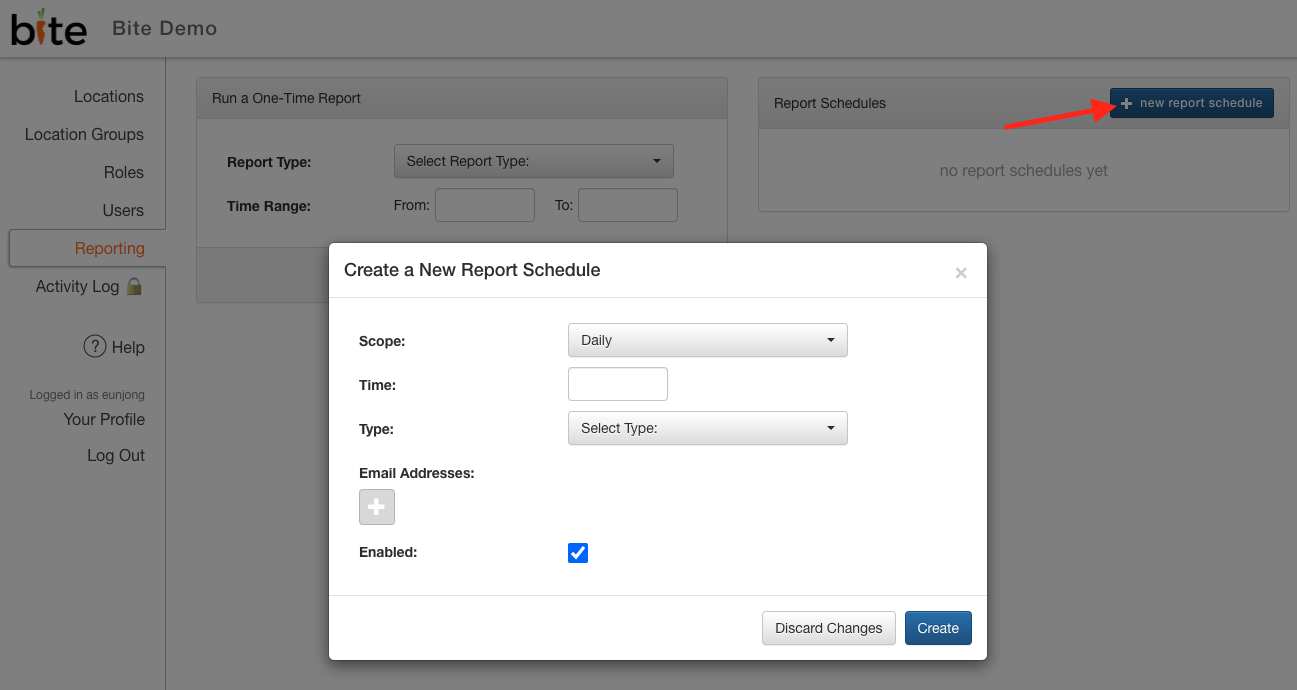
4. Click on "+ new report schedule"
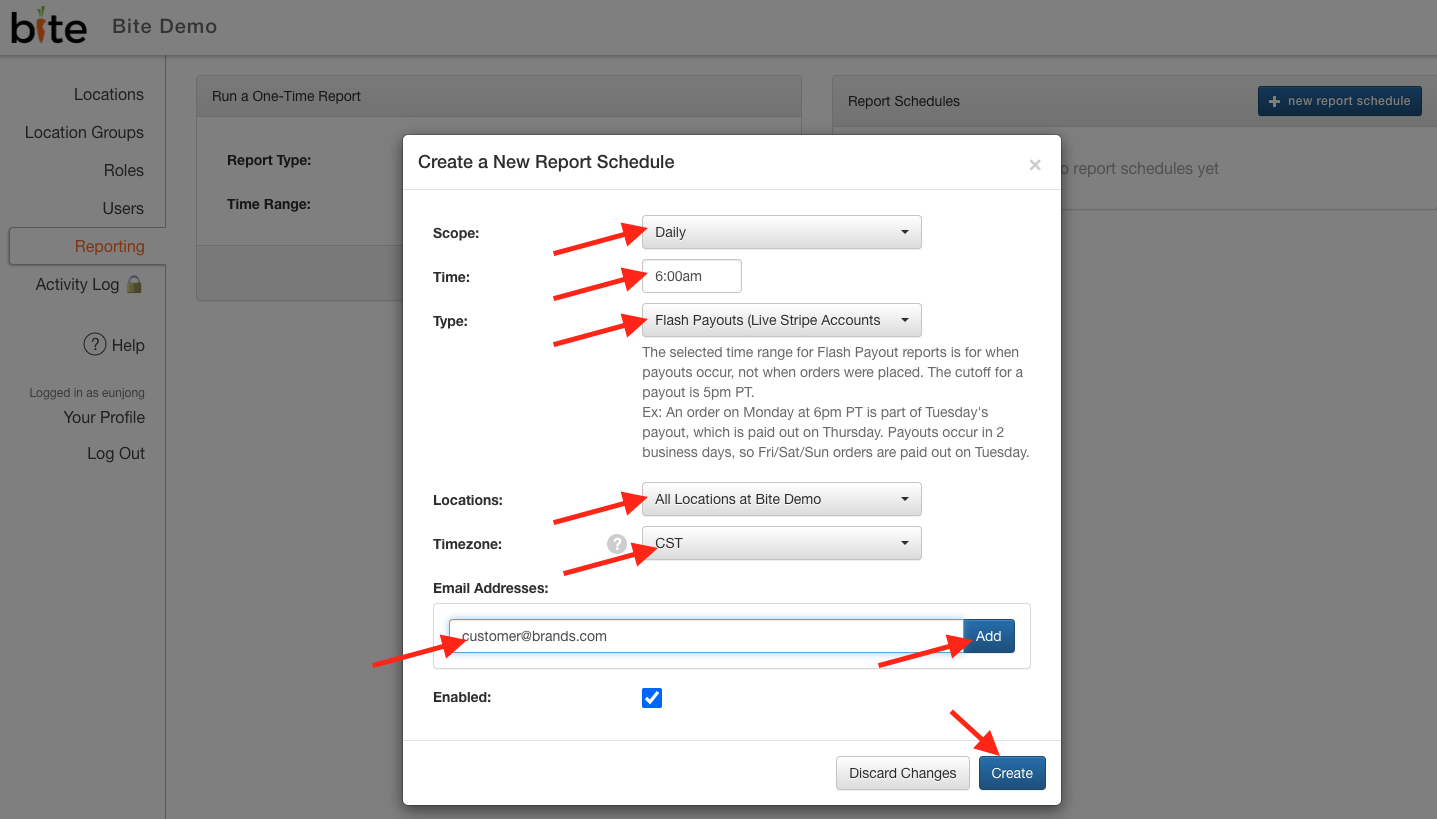
5. Select the desired options for Scope (weekly vs daily), report delivery time, locations, timezone. Choose "Flash Payouts" for Type and add in the desired email address that reports should get sent to. Then click on "Create".
Comments
0 comments
Please sign in to leave a comment.