
For generating one-time reports:
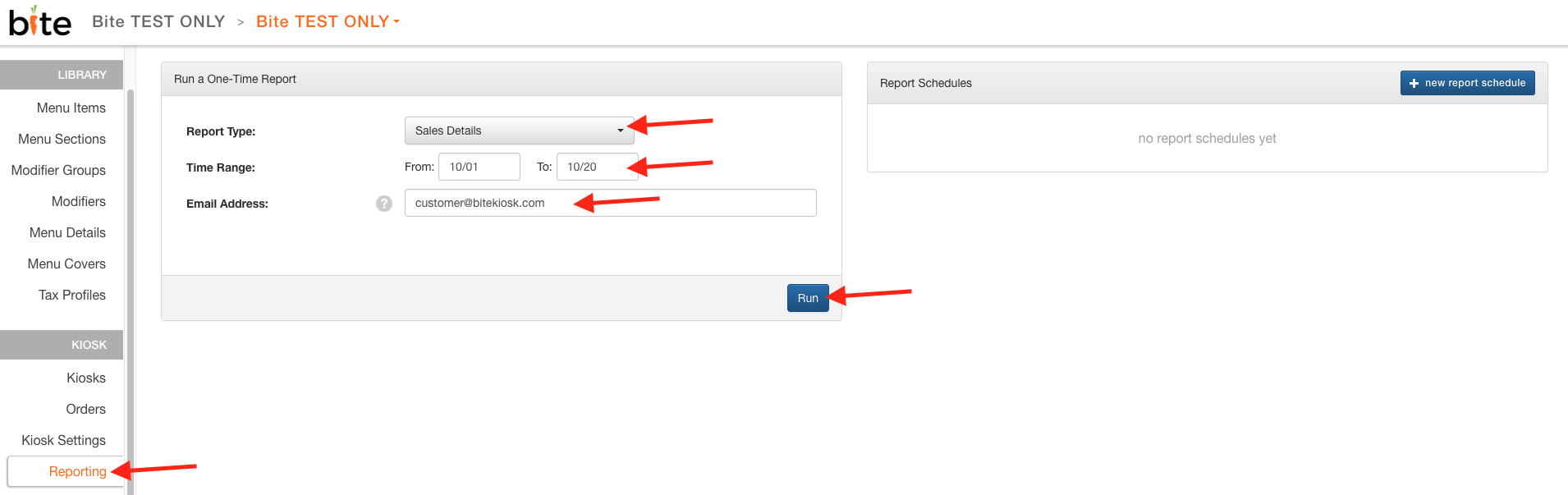
1. Log into Bite Admin Portal, navigate to the desired location, and click on the "Reporting" tab
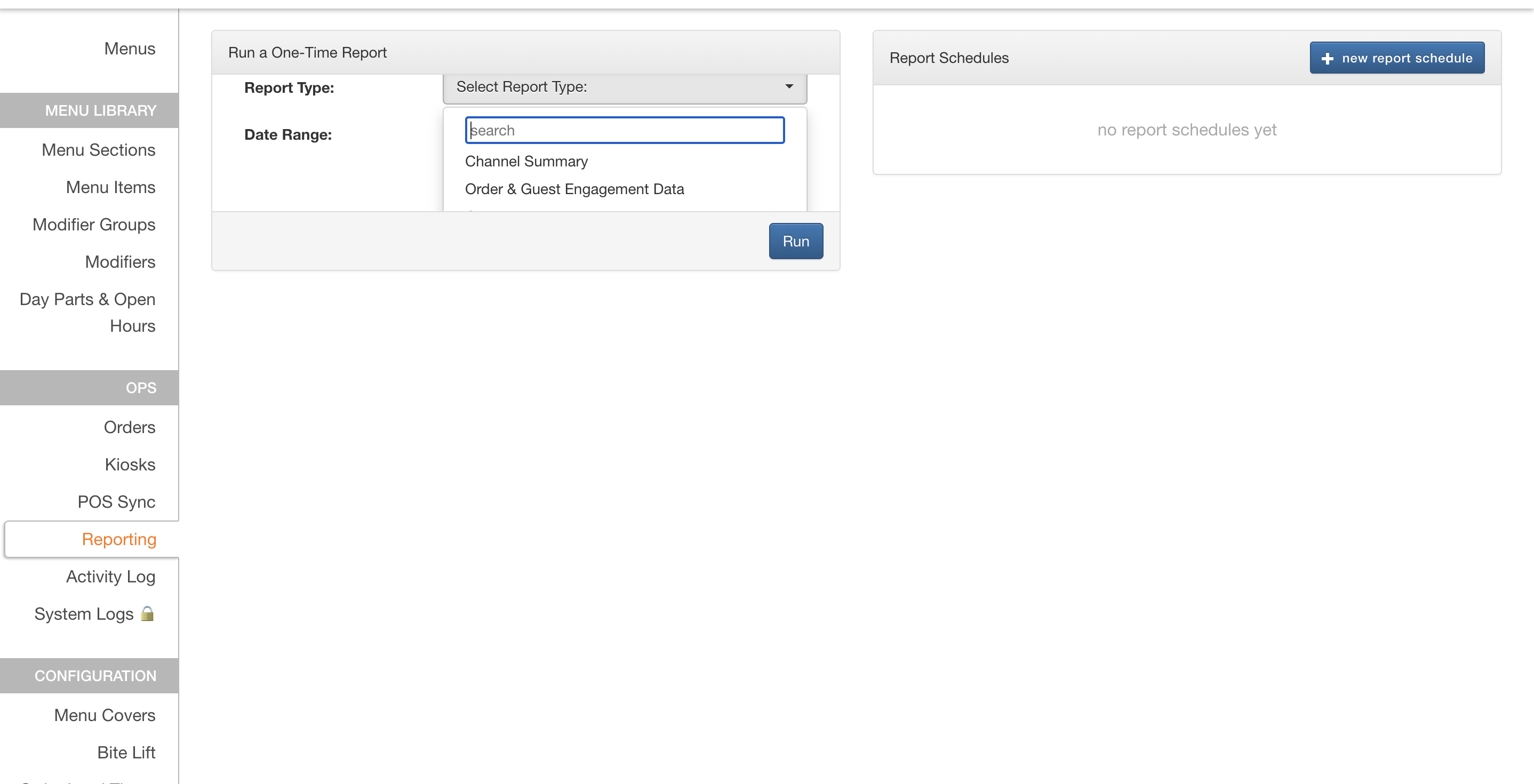
2. Select the desired "Report Type"
3. Enter the email address the report should get delivered to-- Sales Summary is generated on screen.
4. Click "Run"
For setting up report schedules:
1. Log into Bite Admin Portal and click on the "Reporting" tab
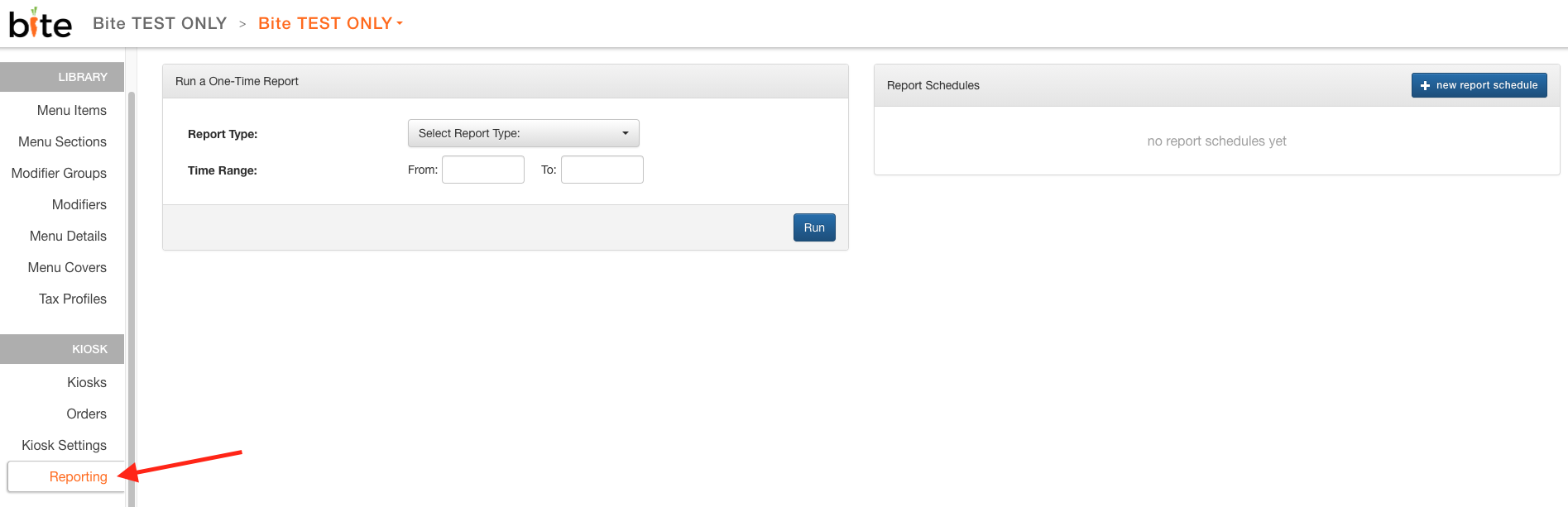
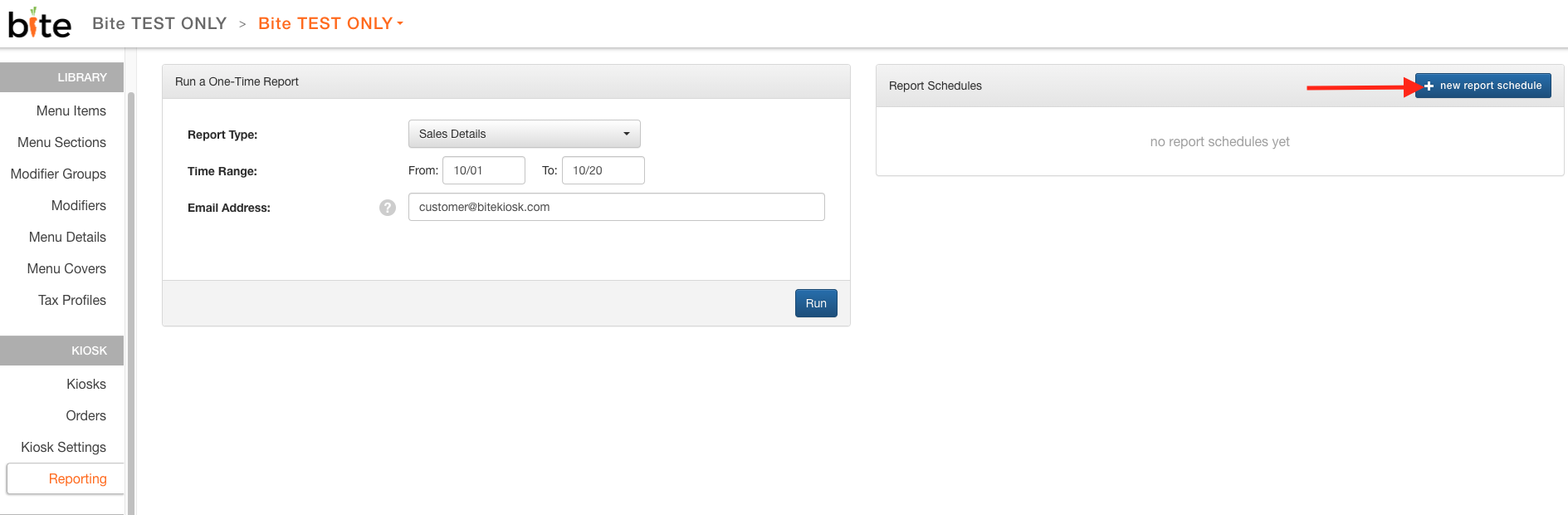
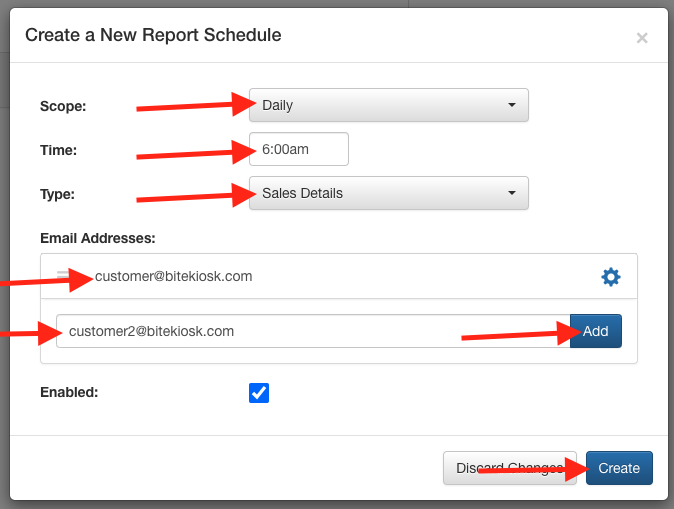
2. Click on "+new report schedule"
3. Choose the desired "Scope", "Time", "Type", add in email addresses (be sure to hit "Add" after entering in the email address), and click on "Create"
Comments
0 comments
Please sign in to leave a comment.