
You can configure Menu Sections to show up only during certain times.
Please see instructions below on how to set it up in the Bite Admin Portal.
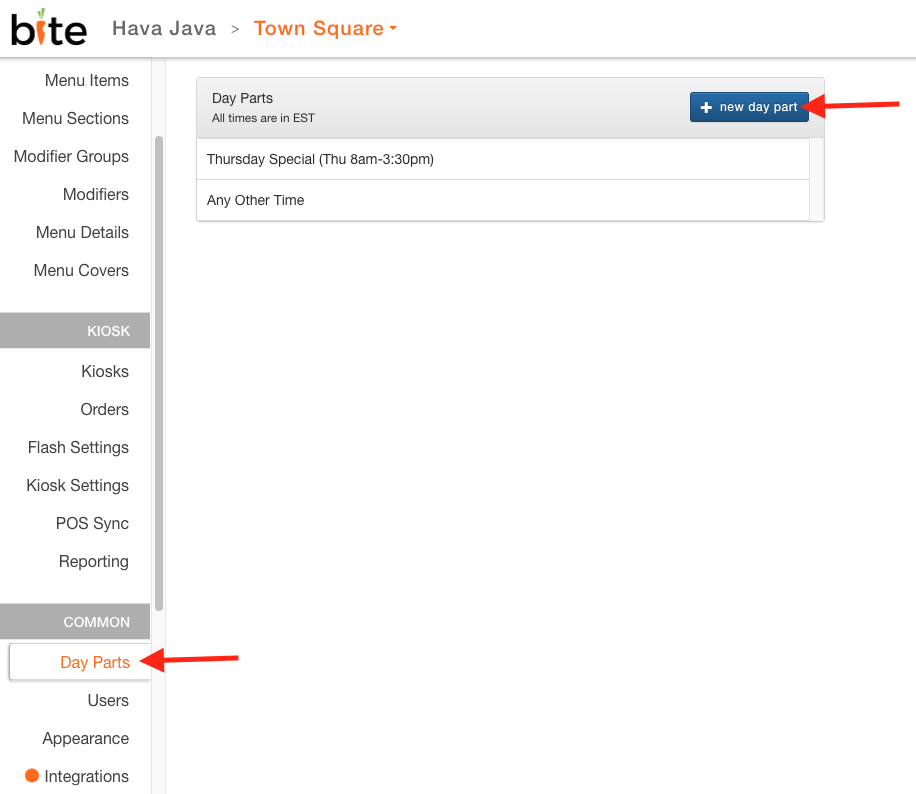
1. Create a Day Part under "Day Parts" tab and click on "+ new day part"
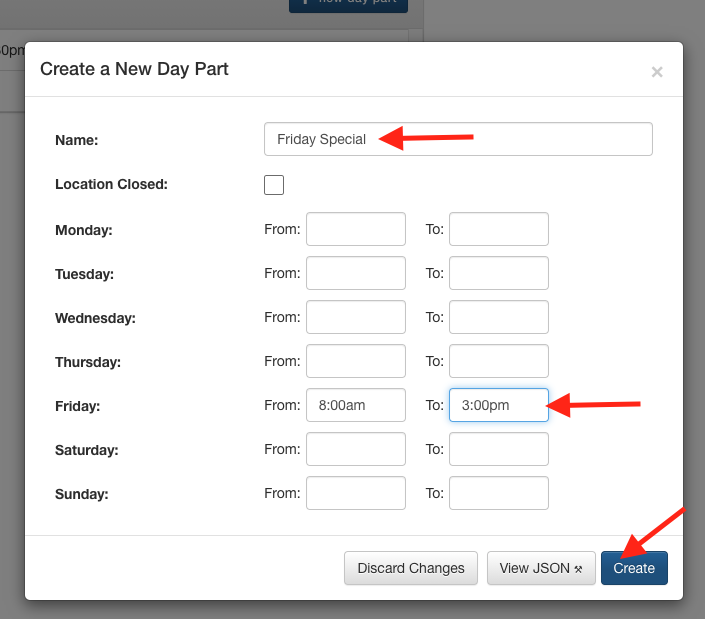
2. Create a New Day Part by adding in the name, appropriate hours, and hit "Create"
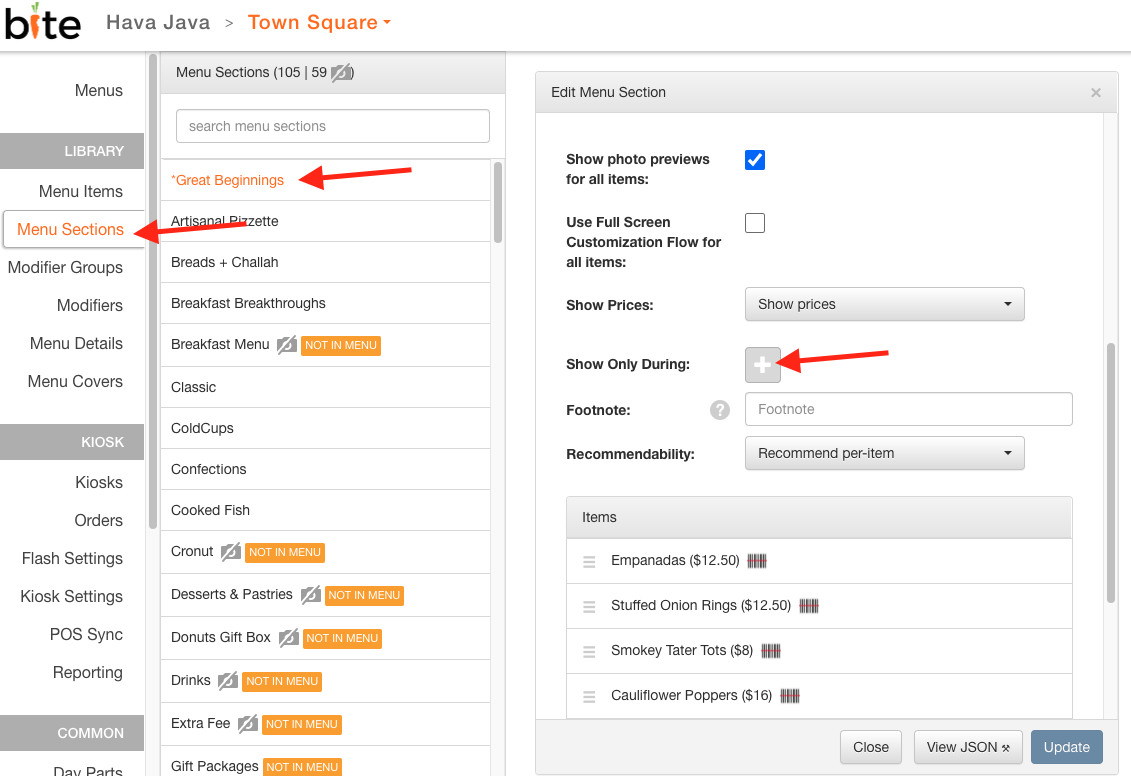
3. Navigate to the menu section you wish to apply the new day part to; click on the "+" sign on "Show Only During"
4. Select the desired Day Part from the dropdown list and click "Update".
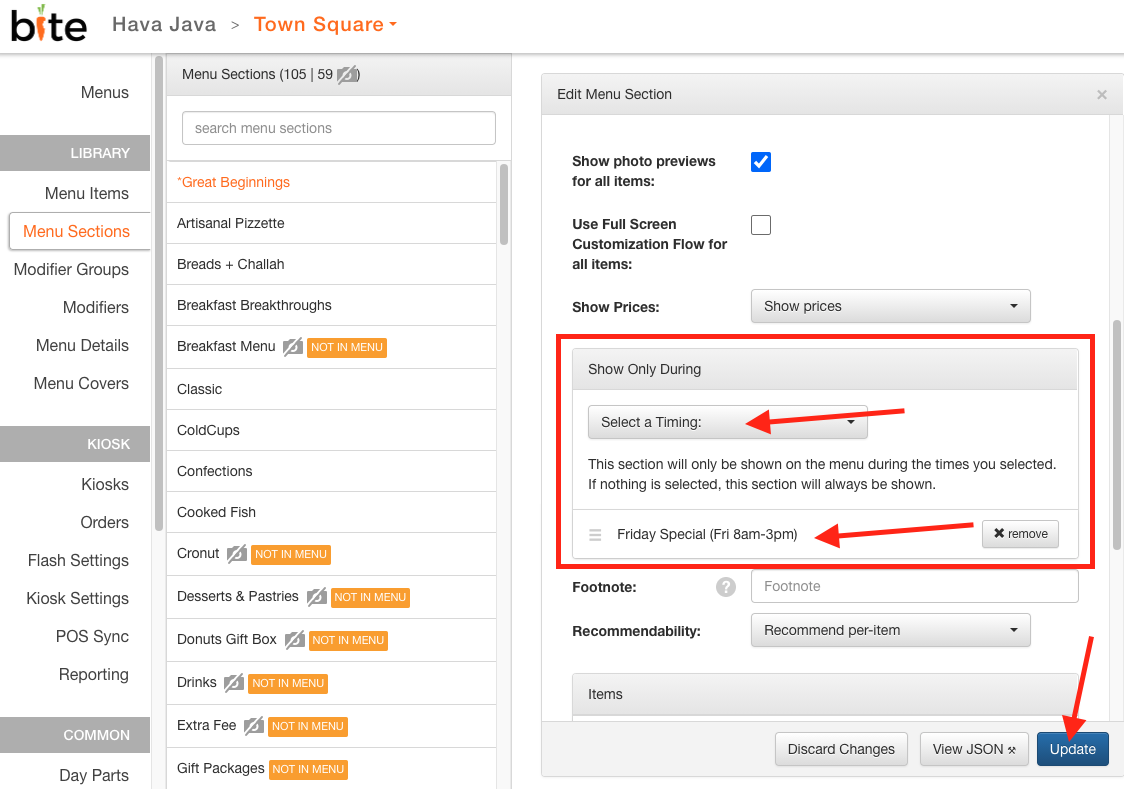
5. Now, the section will only show up during the selected day part.
Comments
0 comments
Article is closed for comments.