
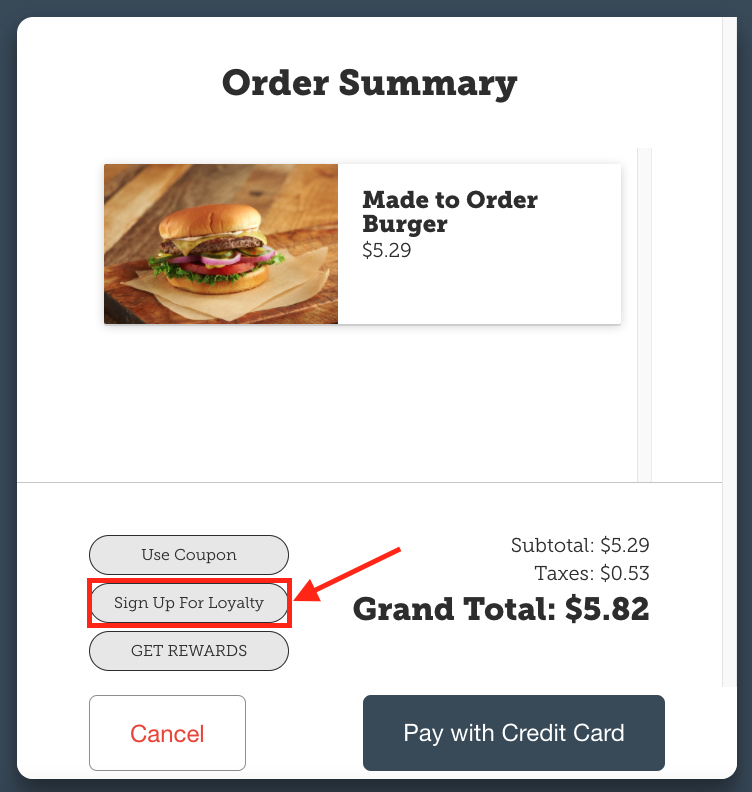
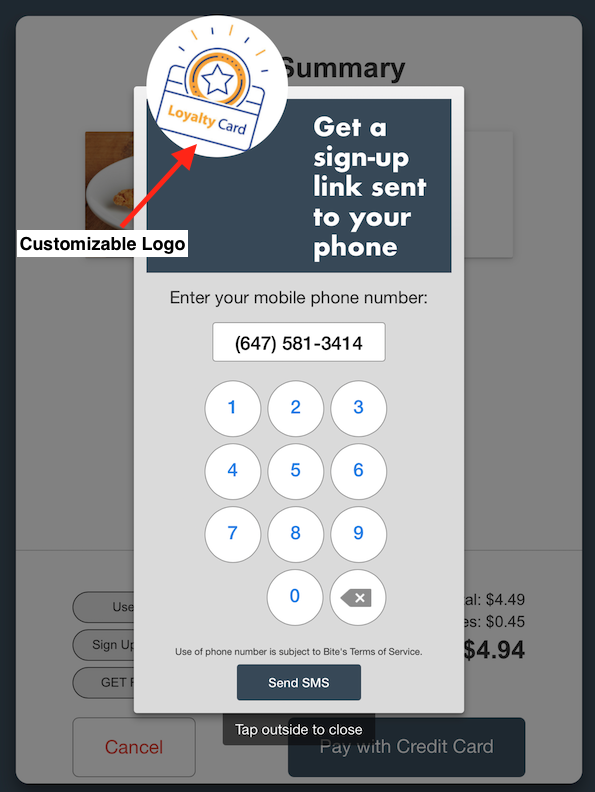
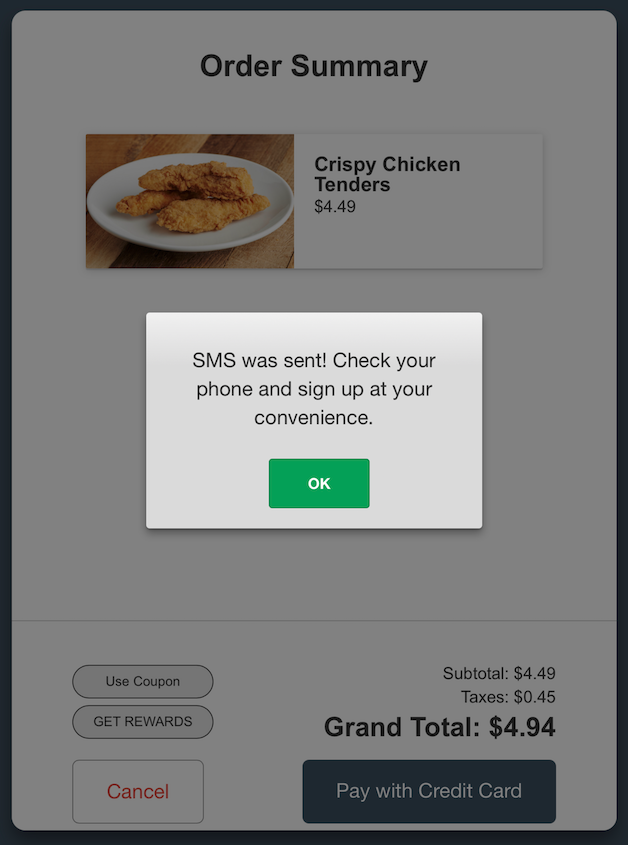
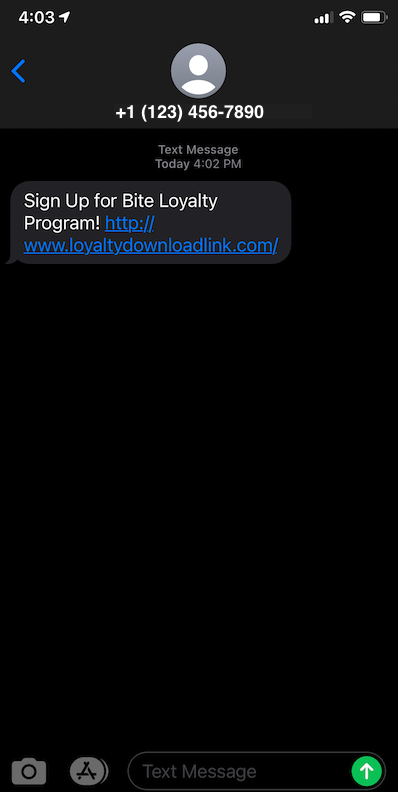
Bite kiosks can now send a link to a web sign-up form or a loyalty app download link via SMS to guests at checkout. Through this feature, restaurant operators can encourage guests to sign up for their loyalty program. This sign up feature can be turned on and off per each location in the Bite Admin Portal.
Twilio Account requirement
To use this feature and provide SMS messaging to guests, operators must provide the below Twilio credentials to Bite account manager or support@getbite.com:
- Account SID
- Auth Token
- Sender Phone Number OR Sender Message Group
Should you require any assistance in obtaining a Twilio account, please reach out to support@getbite.com and we will be happy to help you get in touch with the right contact at Twilio.
After Bite team has added in the Twilio integration to the Bite Admin Portal, you can follow the steps below to enable the feature:
- Navigate to the desired location Bite Admin Portal
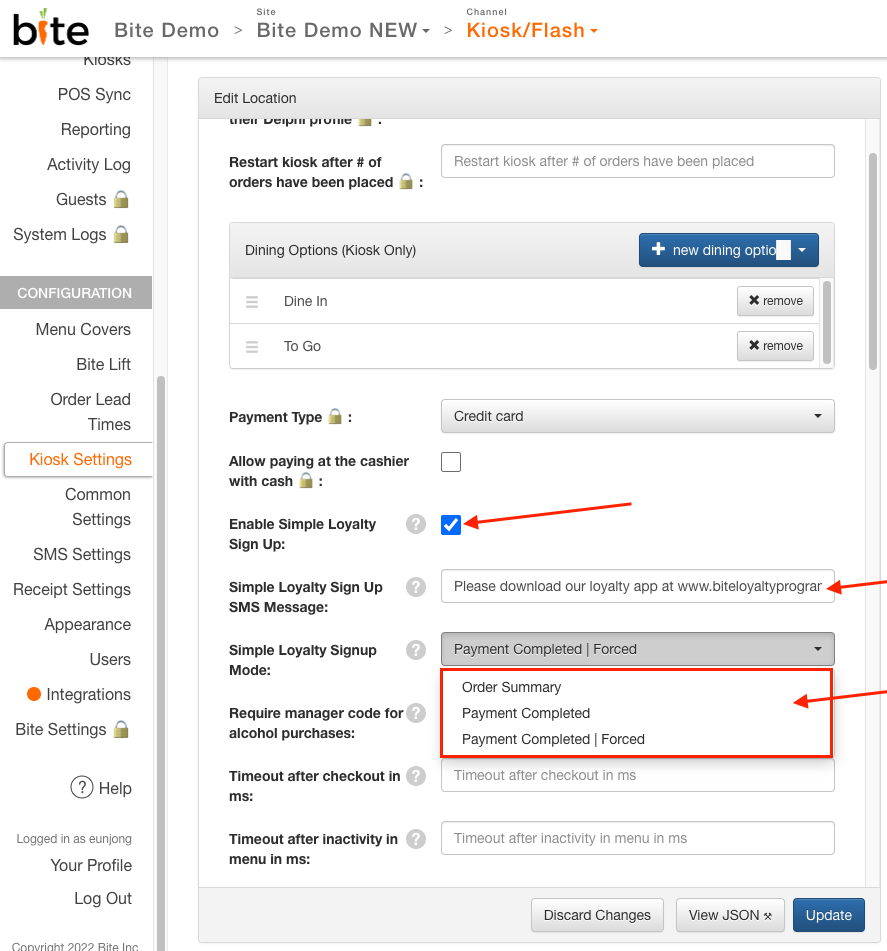
- Click Kiosk Settings tab
- Check the box for Enable Simple Loyalty Sign Up
- Enter in the desired message in the Simple Loyalty Sign Up SMS Message field (NOTE: this message should include a link to the loyalty sign up webpage or app download. Maximum limit of 160 characters.)
- Choose the desired Sign Up mode:
- Order Summary mode will display the "Sign Up for Rewards" button on the Order Summary screen
- Payment Completed mode will display a large button that will show up after the customer completes payment for their order. The button can be customized by uploading any image (680x180 pixels) in the Simple Loyalty Signup Banner Image field that appears after selecting the Payment Completed signup mode.
- Payment Completed | Forced mode will display the sign up modal with the phone number entry pad as soon as the customer completes payment.
- Click Update
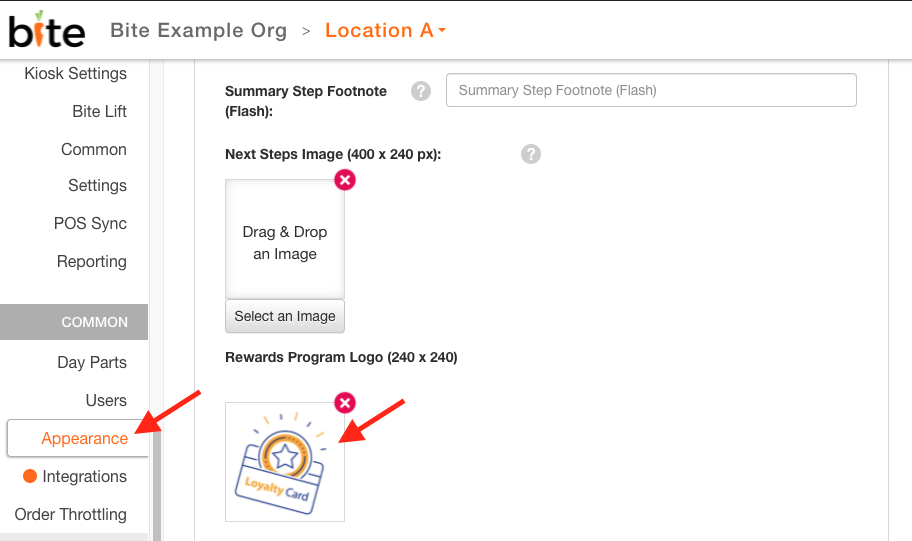
Rewards logo can be customized following the steps below:
- Navigate to the desired location Bite Admin Portal
- Click Appearance tab
- Upload the desired image (240 x 240 px) in Rewards Program Logo field
- Click Update
Comments
0 comments
Please sign in to leave a comment.