
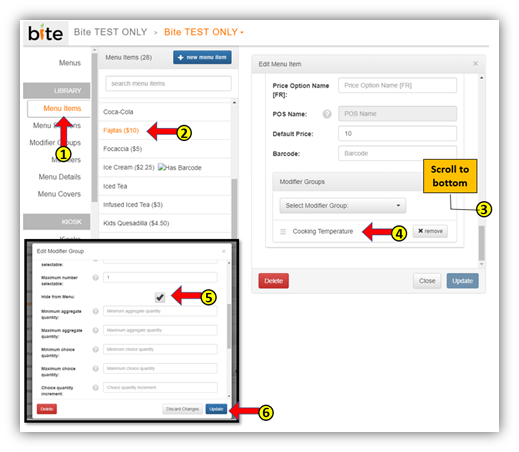
- Click on the “Menu Items” tab in the Bite Admin Portal
- Click on the desired menu item
- Scroll to the bottom until you see the “Modifier Groups” section
- Click on the modifier group you wish to hide
- In the “Edit Modifier Group” window, check the “Hide from Menu” box off
- Click “Update”
Note: If the modifier groups requires a mandatory selection in your POS, you will not be able to hide the modifier group.
Comments
0 comments
Please sign in to leave a comment.