
To allow for creating Menu Sections in Bite Admin, a Bite member will need to ensure that Sync Sections feature is disabled on the POS integration. If you would like to build out menu sections directly in Bite Admin Portal, please submit a ticket to support@getbite.com.
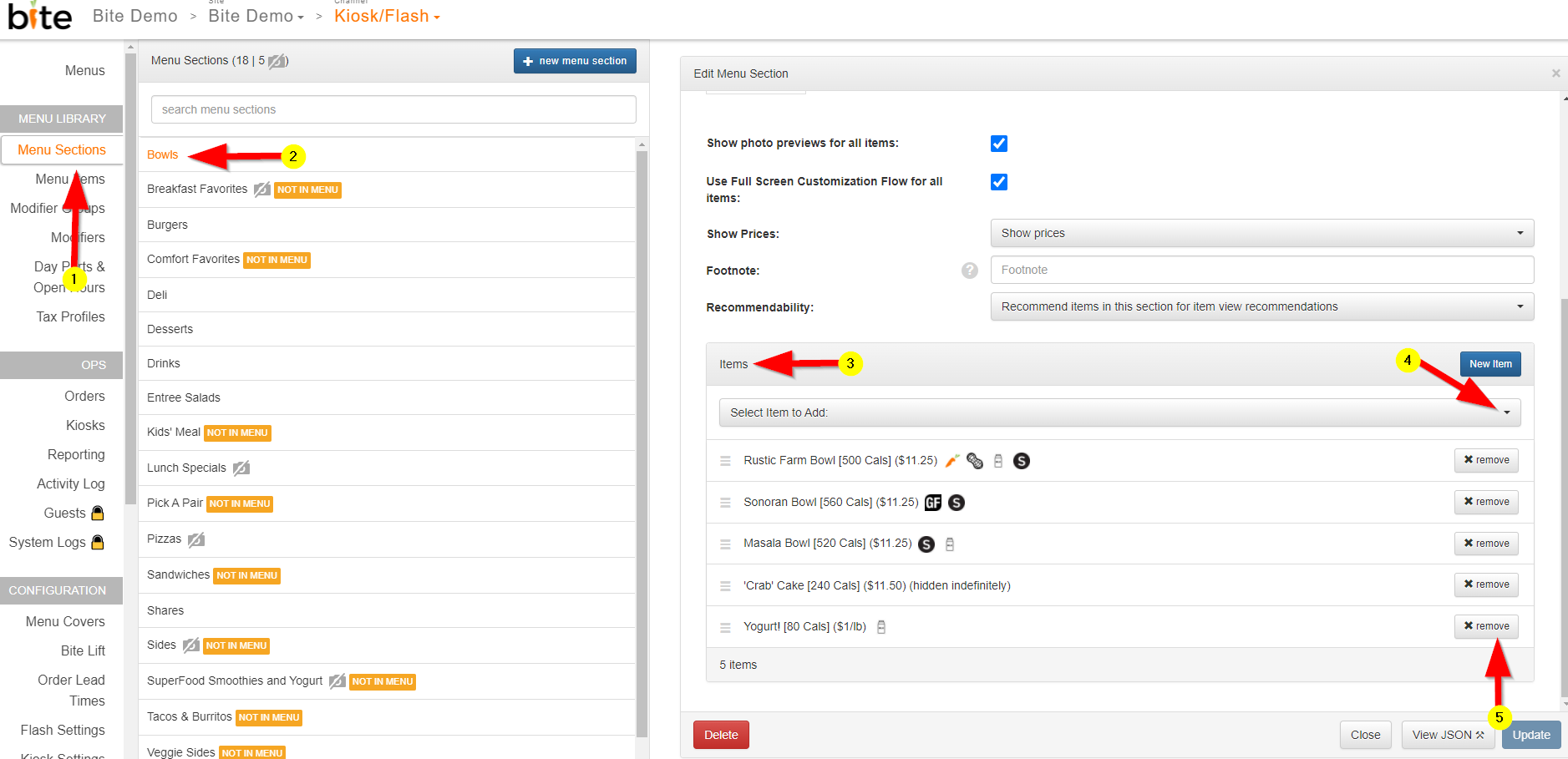
- Click on the “Menu Sections” tab in the Bite Admin Portal
- Click on the menu section you want to add new items to
- Scroll down until you see the “Items” section
- Add items by using the “Select Items to Add” dropdown list
- You can remove items from menu sections by clicking on the “x remove” button
Comments
0 comments
Please sign in to leave a comment.