
You can hide specific modifiers in mod groups by following the steps below:
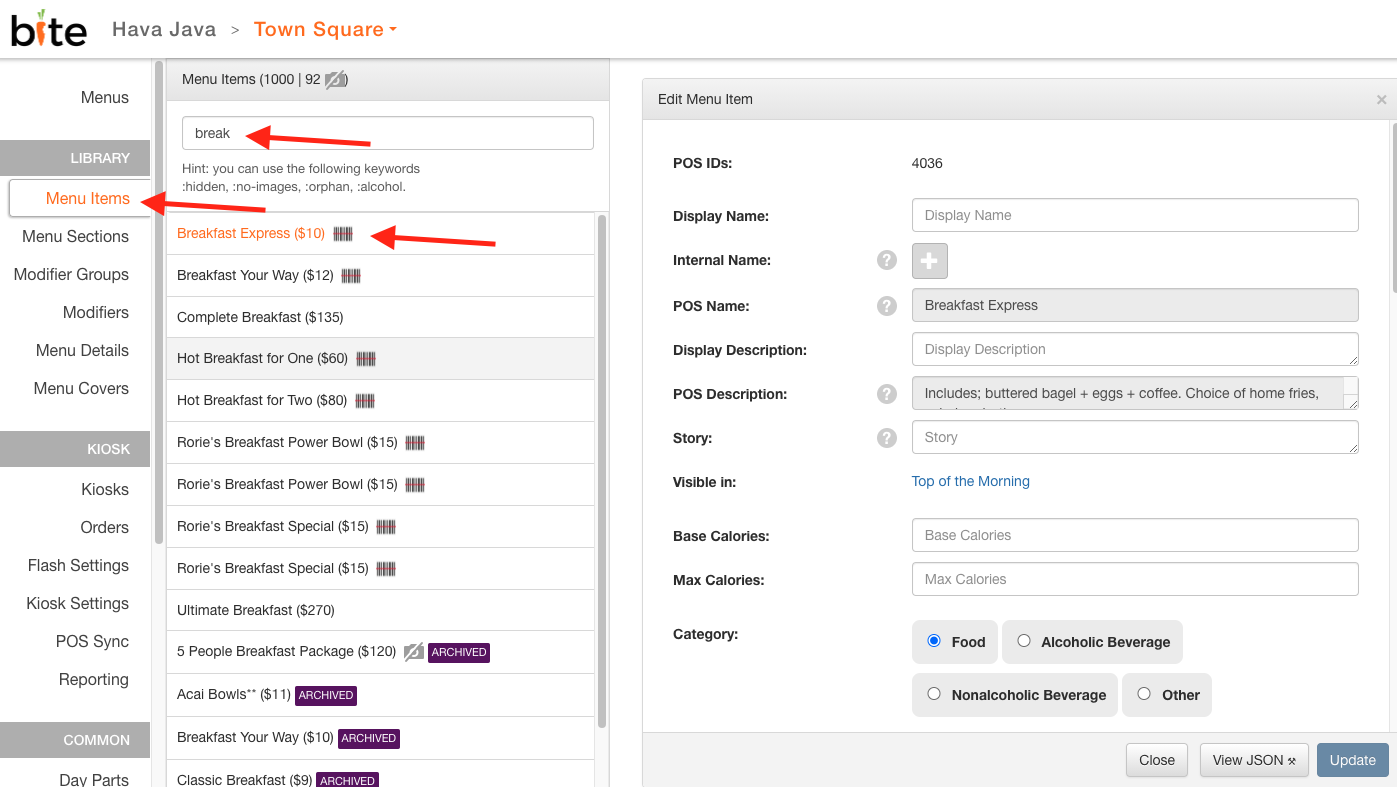
1. In the appropriate location in Bite Admin Portal, search for the Menu Item you wish to hide a modifier from.
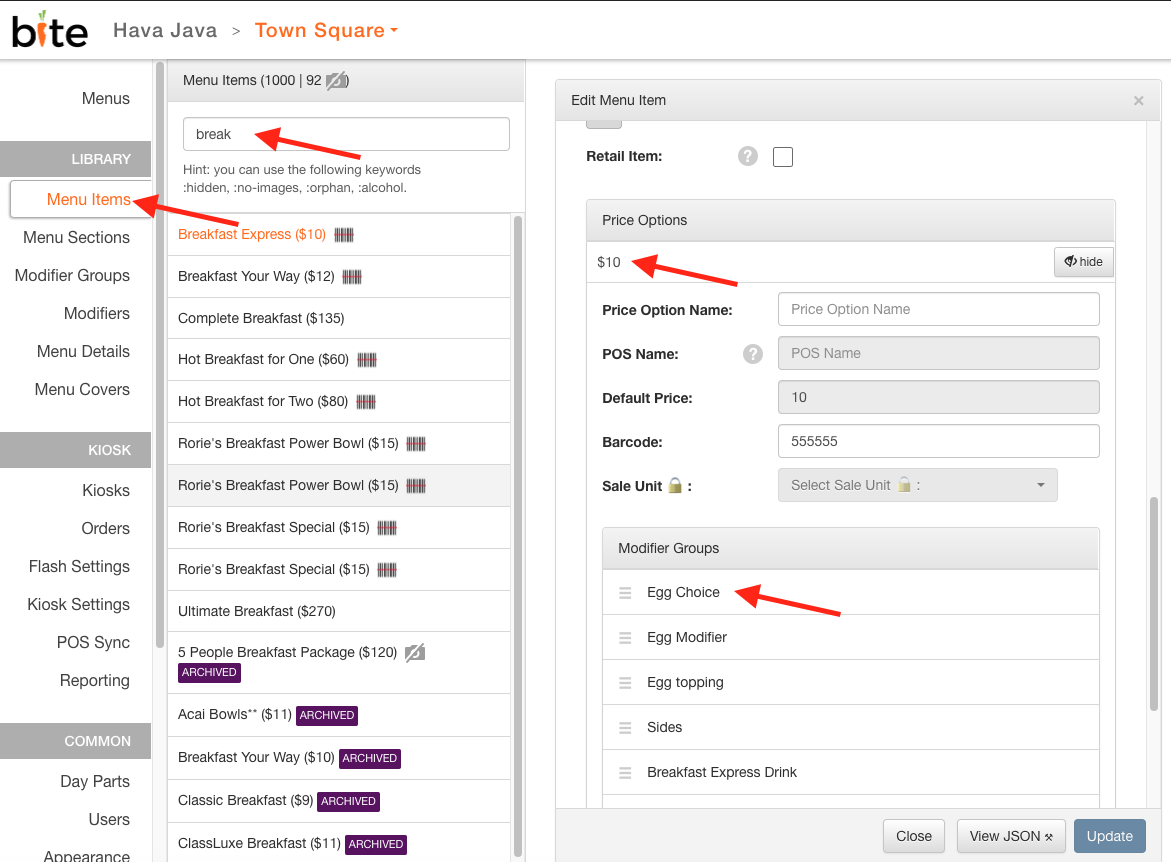
2. Scroll to the bottom of the "Edit Menu Item" window, click on "Price Options" to view all the modifier groups, and select the desired modifier group.
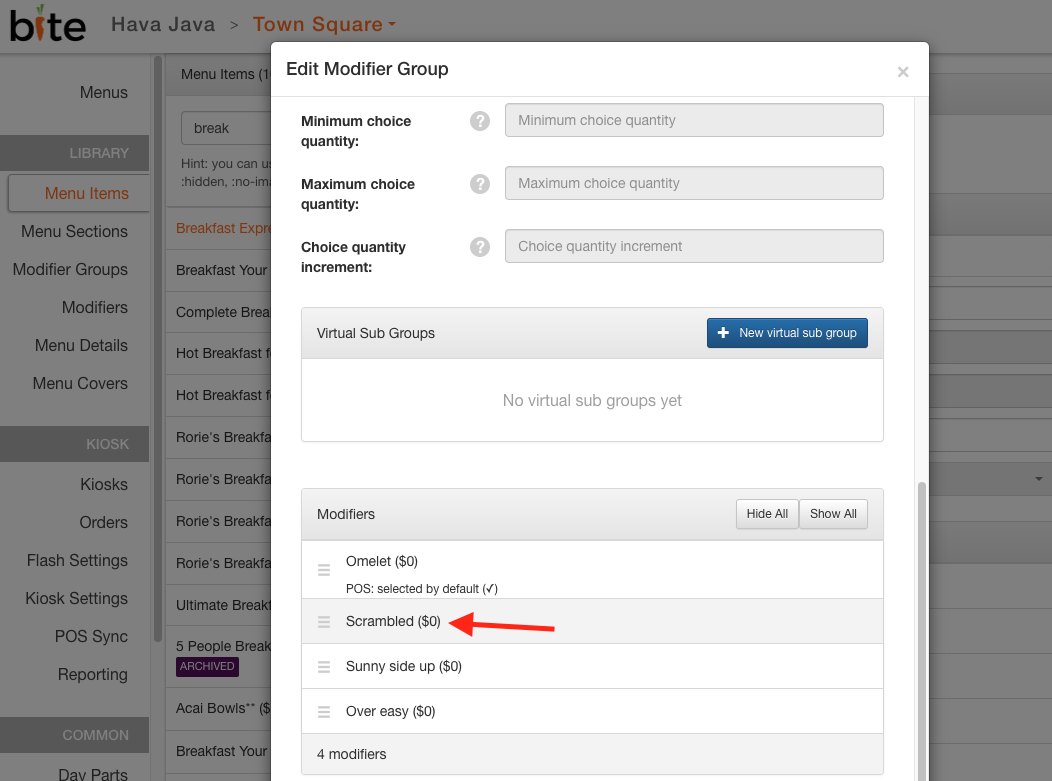
3. Click on the modifier you wish to hide.
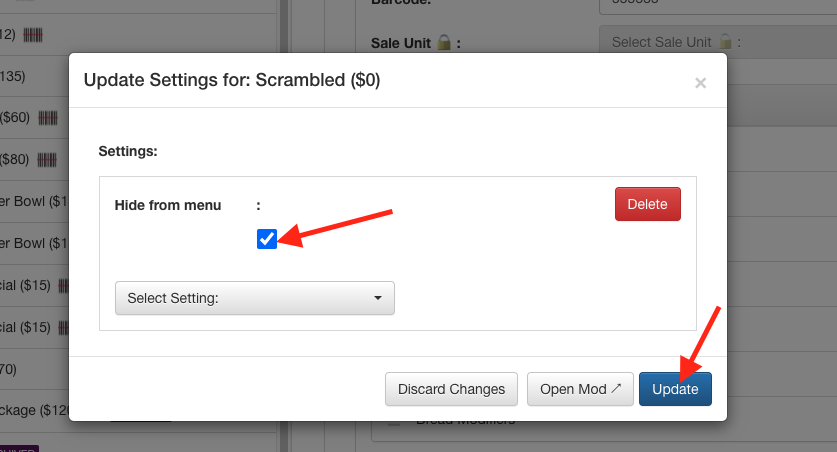
4. Click "Hide from menu" under "Select Setting:" dropdown.
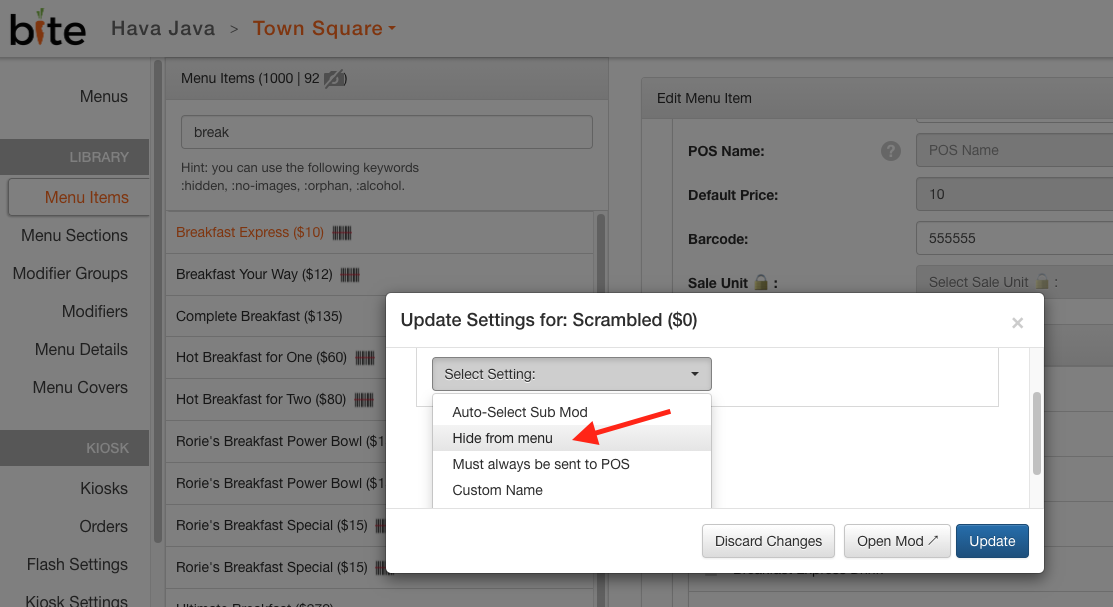
5. Check the box and click "Update".
Comments
0 comments
Article is closed for comments.