
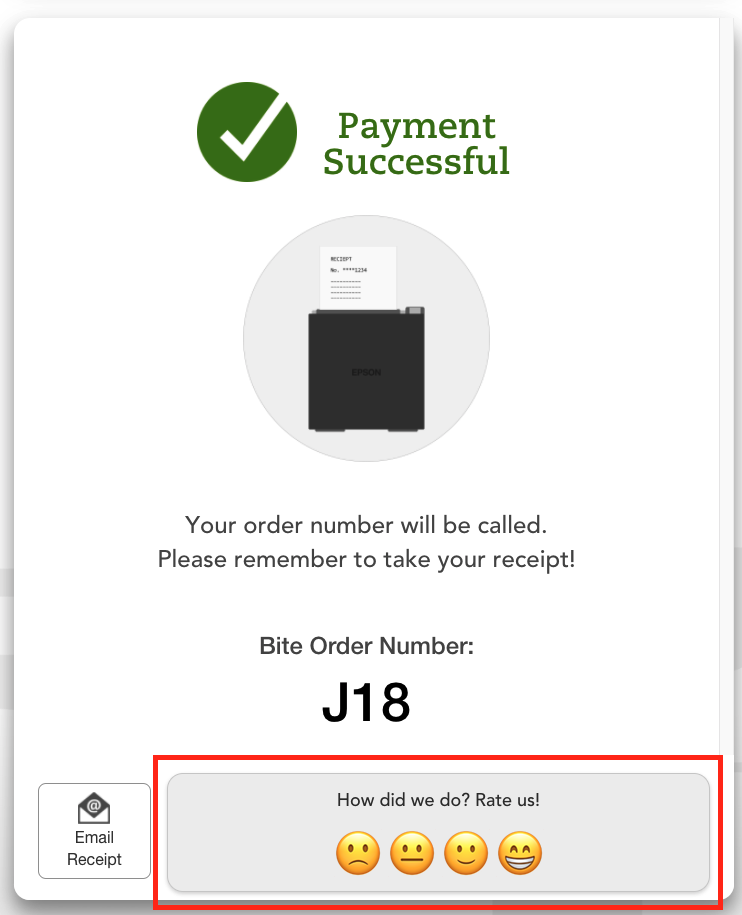
Kiosks and Flash can display a guest experience survey at the end of the ordering process. If guest survey is turned on for the location, guests will see the below guest survey on the "Payment Successful" screen.
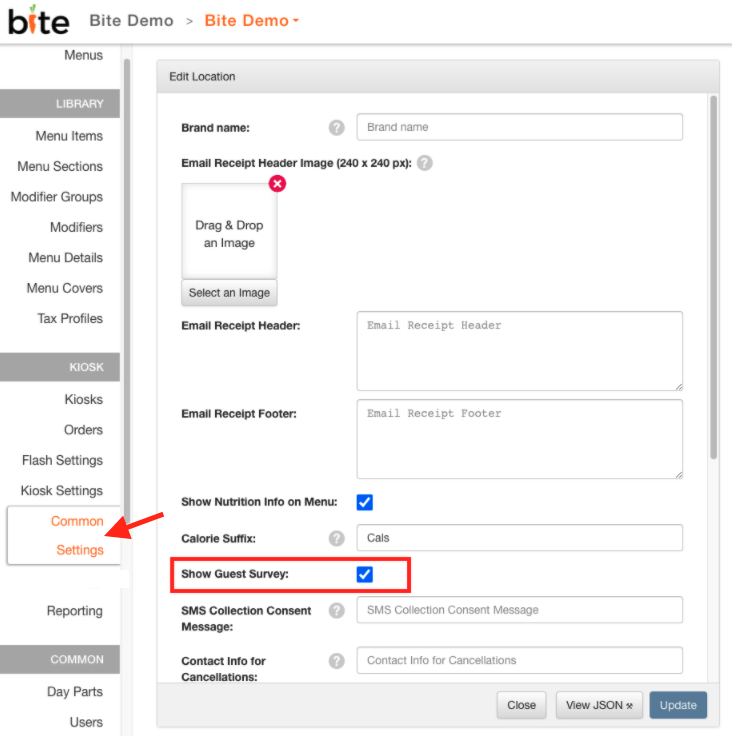
Guest surveys can be configure to each location. To turn guest survey on, please navigate to the desired Bite Admin Portal location > "Common Settings" tab > check off the "Show Guest Survey" box. Please see screenshot below.
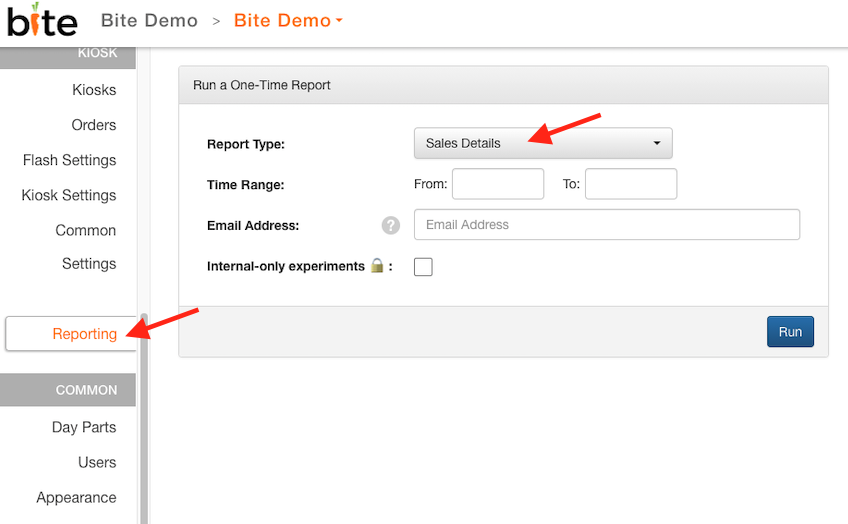
Guest survey ratings are available for operators to view under the "Sales Details" report. To generate this report, please navigate to the desired Bite Admin Portal location > Reporting > generate Sales Details report.
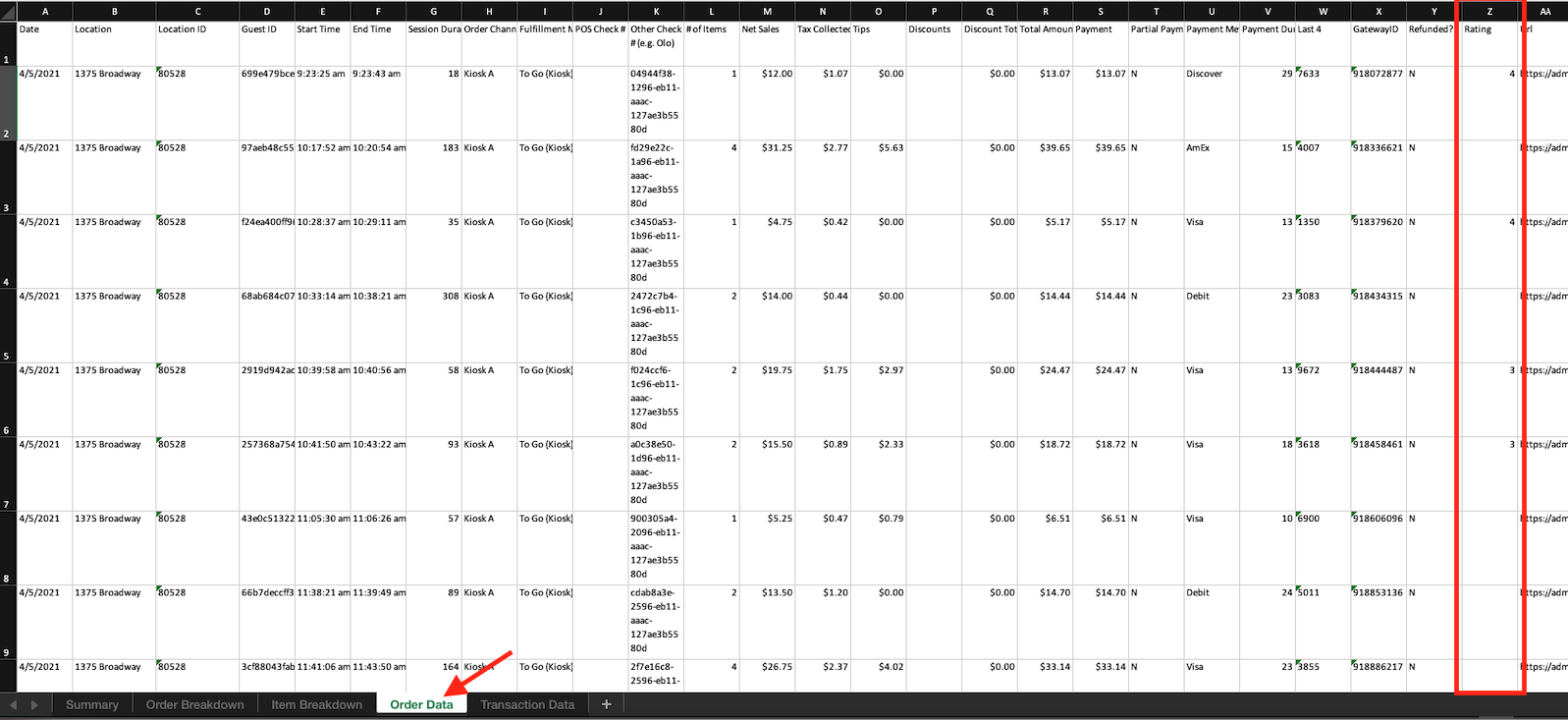
Guest survey ratings appear under the "Order Data" tab under the "Rating" column.
Comments
0 comments
Please sign in to leave a comment.