
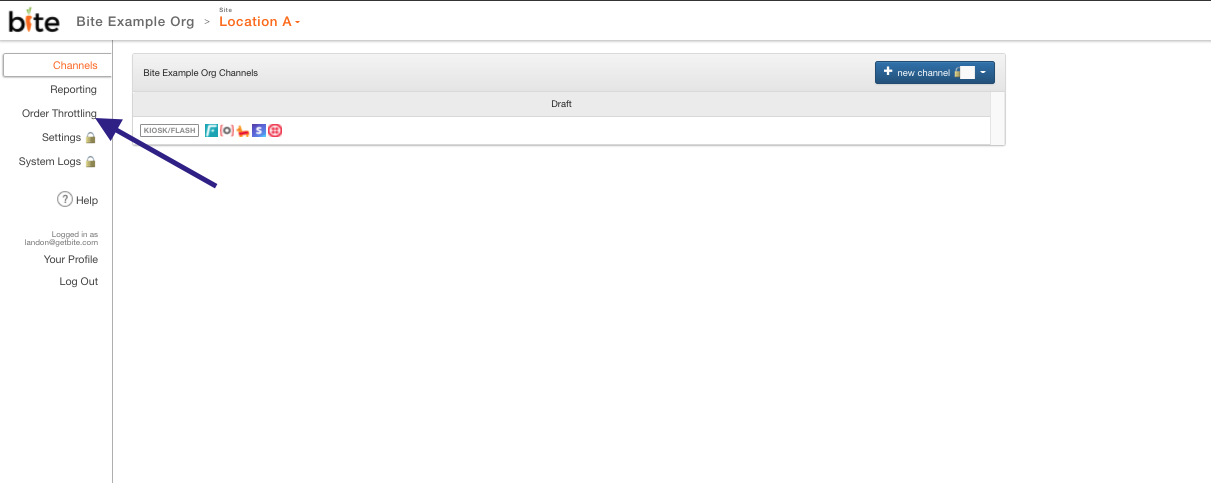
Order Throttling feature can be used by restaurant operators to limit the volume OR number of orders that can be placed at given time windows/intervals of the day. This feature can be configured in the Bite Admin Portal under the Order Throttling tab as below.
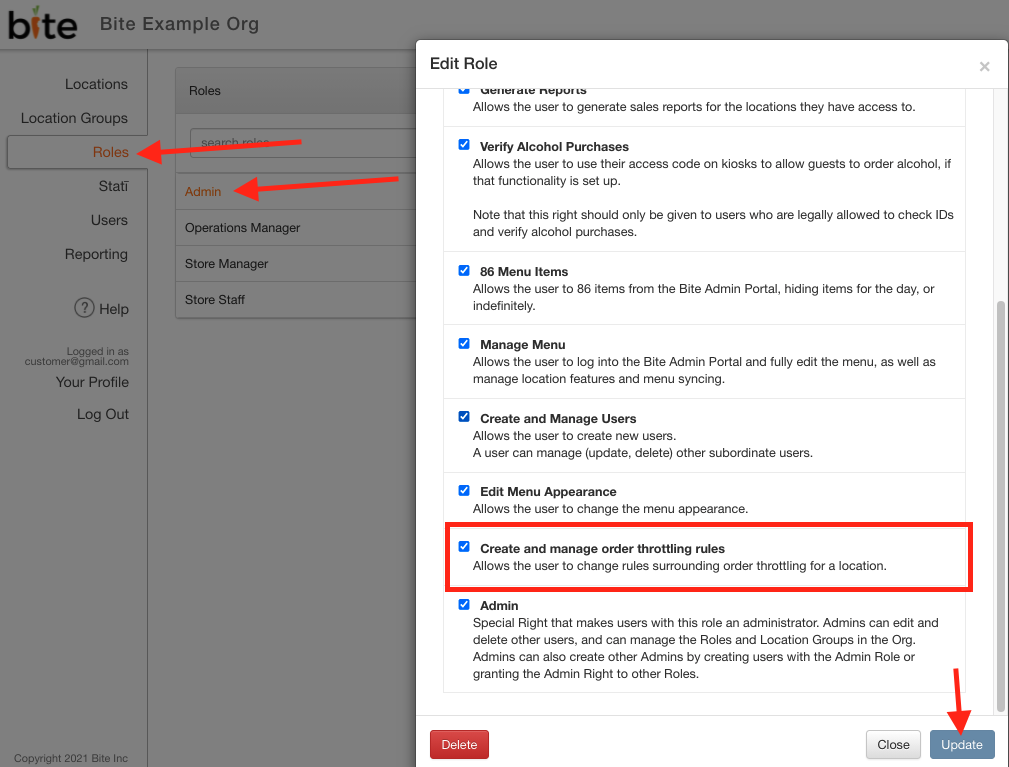
Please note that "Create and manage order throttling rules" is a user right in Bite Admin Roles. By default, only Admin roles will have access to create and manage order throttling rules. This can be configured under the Roles tab under the Organization in Bite Admin Portal.
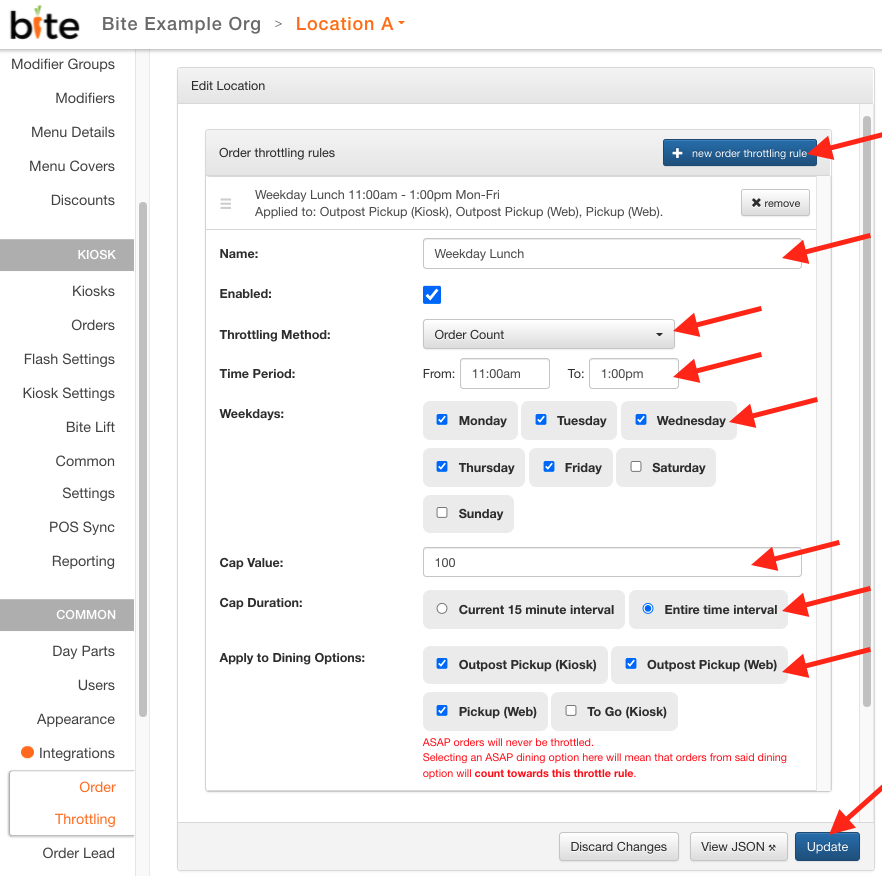
Throttling rules can be configured under the Order Throttling tab by clicking on the + new order throttling rule button. Please see below for details on each field:
|
Field |
Description |
|
Name |
Just a label used to differentiate each rule (ie. Weekday Lunch rule, Weekend Dinner rule) |
|
Enabled |
This box needs to be checked for the throttling rule to take effect. |
|
Throttling Method |
Orders can be throttled using one of the two methods:
|
|
Time Period |
Window of applicability for the throttling rule. From is inclusive and To is exclusive. That means the rule will apply to orders that fall on the From time, but will not apply to orders that fall on the To time. For example, From 11:30am To 11:45am will include 11:30:00am through 11:44:59am. Orders placed for 11:45am will NOT be subject to throttling rule for the time period. |
|
Weekdays |
Days of the week (Monday through Sunday) for rule to apply |
|
Cap Value |
This is the notional value of the throttling cap. If you selected Dollar Value as the throttling method, you must enter the Dollar Cap Value in CENTS. If you selected Order Count as the throttling method, you can enter the desired number of maximum orders. Examples of accepted values:
|
|
Cap Duration |
Throttling rule cap duration can be applied to the designated time period in two ways:
Please see the below examples:
|
|
Apply to dining options |
This field will display all the dining options defined for the location. Throttling rules must be applied to a defined set of dining options. This means that only orders that are placed for those specified dining options will count towards that throttling rule.
NOTE: ASAP orders will never be throttled, but if the ASAP dining option (ie. Dine In (Kiosk) or To Go (Kiosk)) is selected, the orders from the dining options will count towards the throttling rule. |
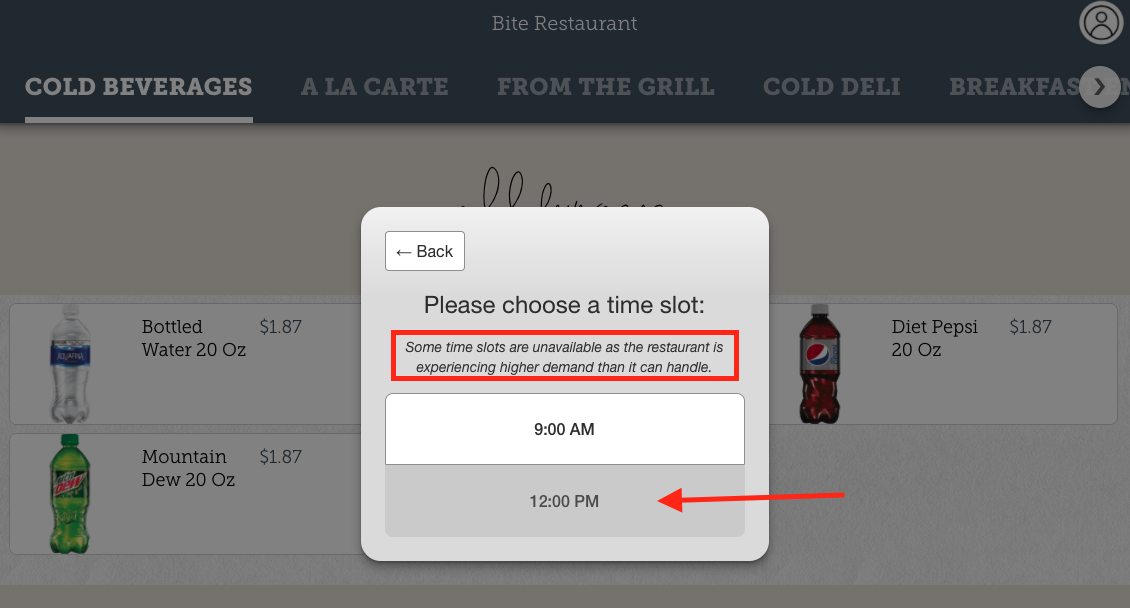
If the pickup time slot becomes unavailable due to order volume or count reaching maximum capacity due to throttling rules in effect, the time slot will display as greyed out and will display a disclaimer message for the guests. Please see the below screenshot:
Please reach out to support@getbite.com should you require any assistance in setting up this feature.
Comments
0 comments
Please sign in to leave a comment.