
Operators can now mass-upload the same image to multiple modifiers by using the "Copy Settings to..." feature/button in the Bite Admin Portal.
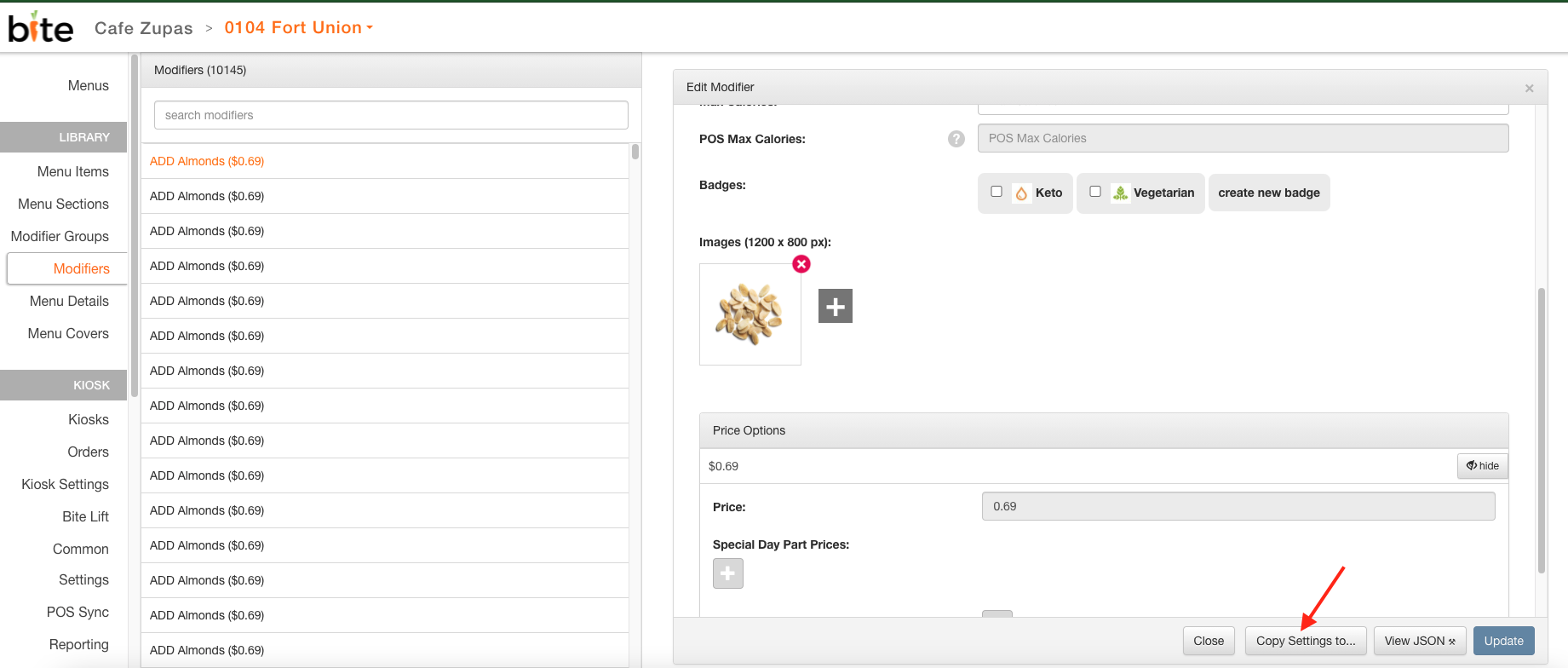
- Click on any source modifier and upload the desired image in that modifier. Click "Update".
- Click on "Copy Settings to..." button
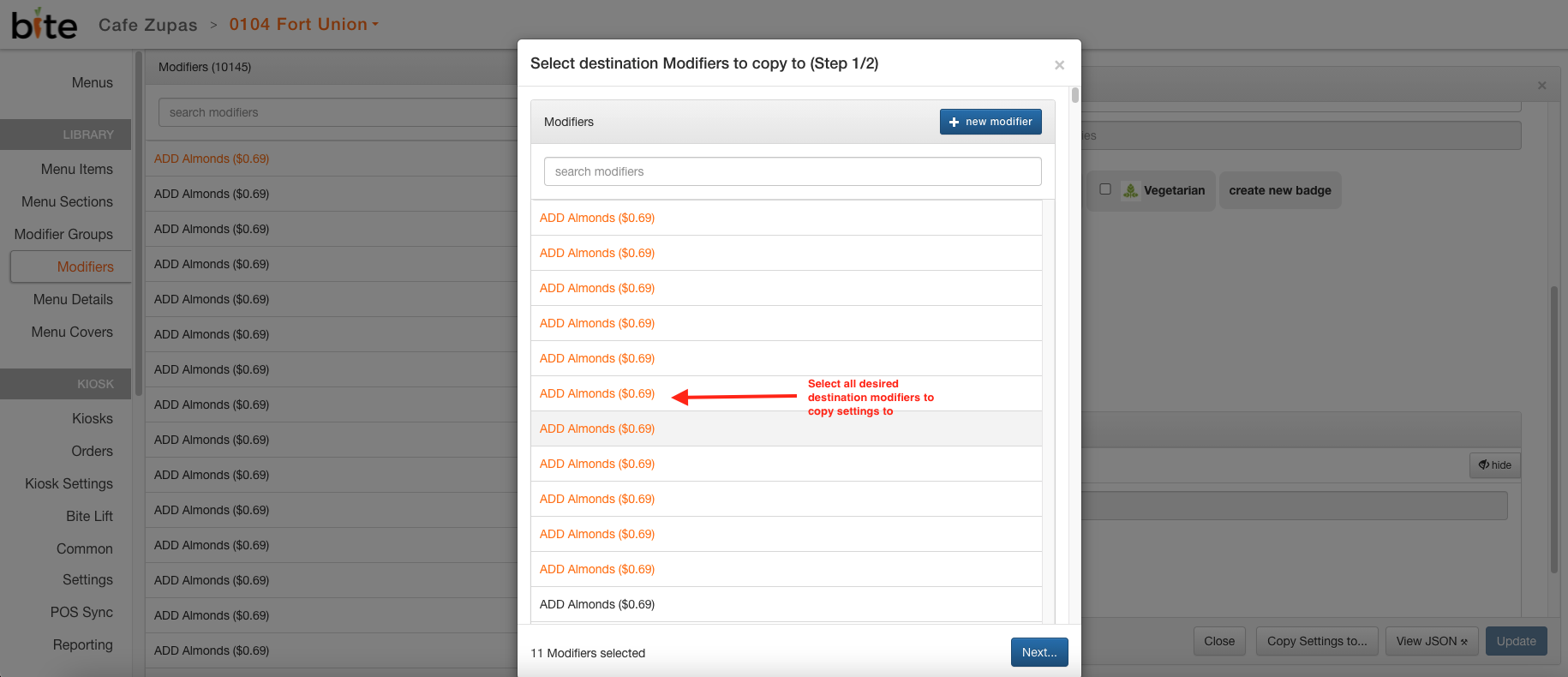
- Select all desired modifiers to copy over images to and click "Next"
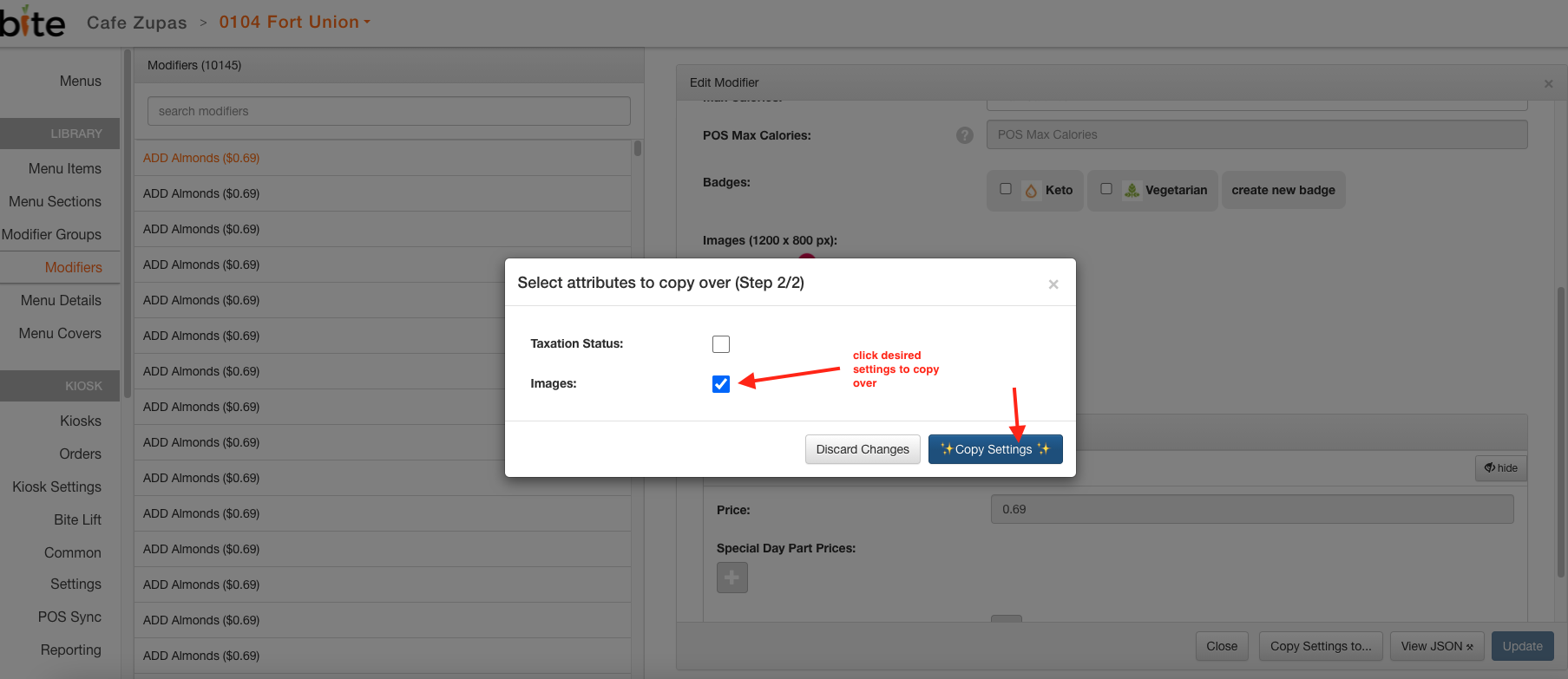
- Select "Images" checkbox and click "Copy Settings"
Comments
0 comments
Please sign in to leave a comment.